
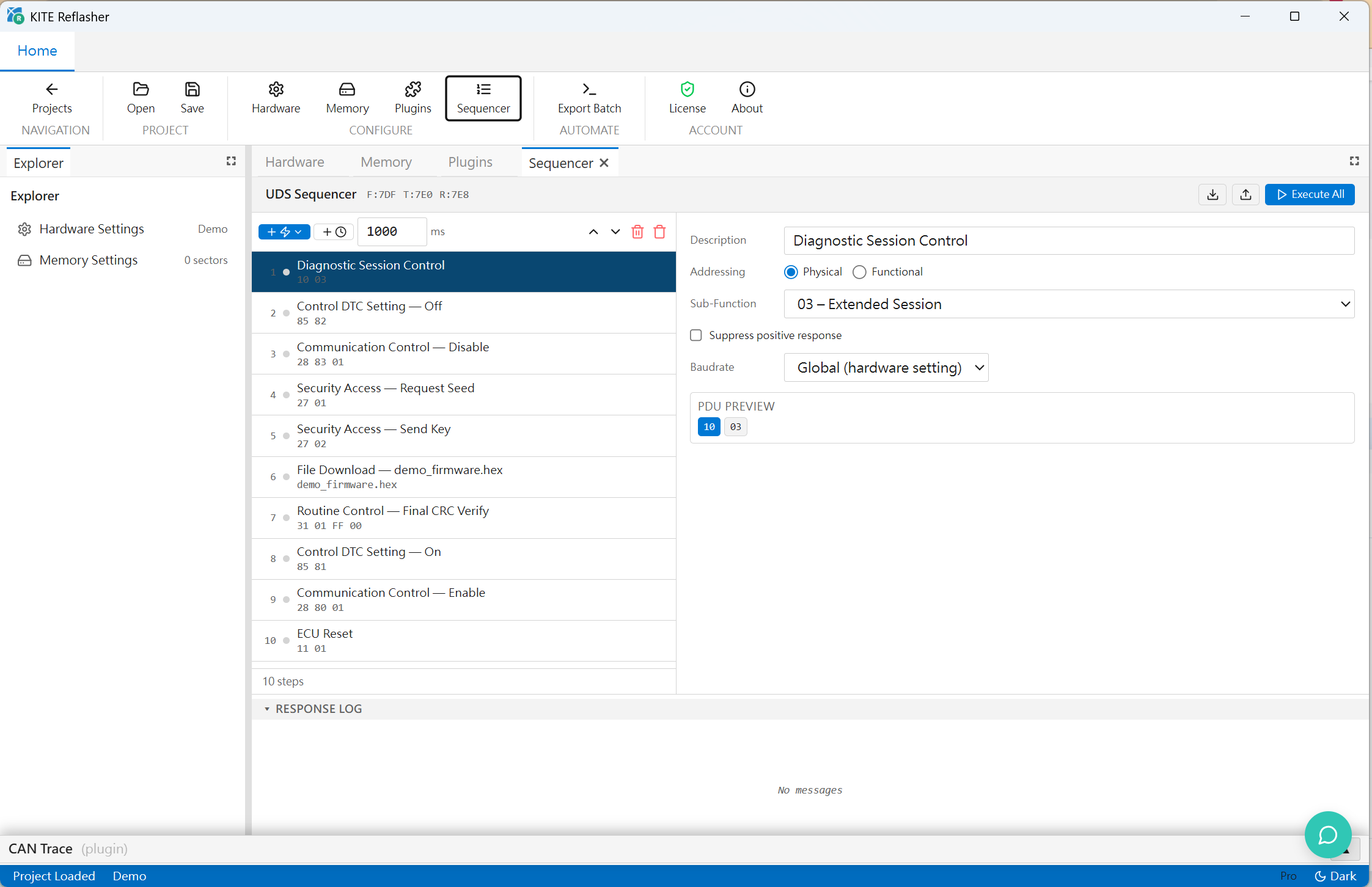
Download sequence
Manage session, security, routine, download, transfer, and reset steps.
UDS-on-CAN ECU Flashing Tool
A UDS-on-CAN reflashing tool for ECU firmware download and update validation, covering download sequences, Security Access, firmware formats, and trace retention.
Turn ECU reflashing into a controlled download workflow
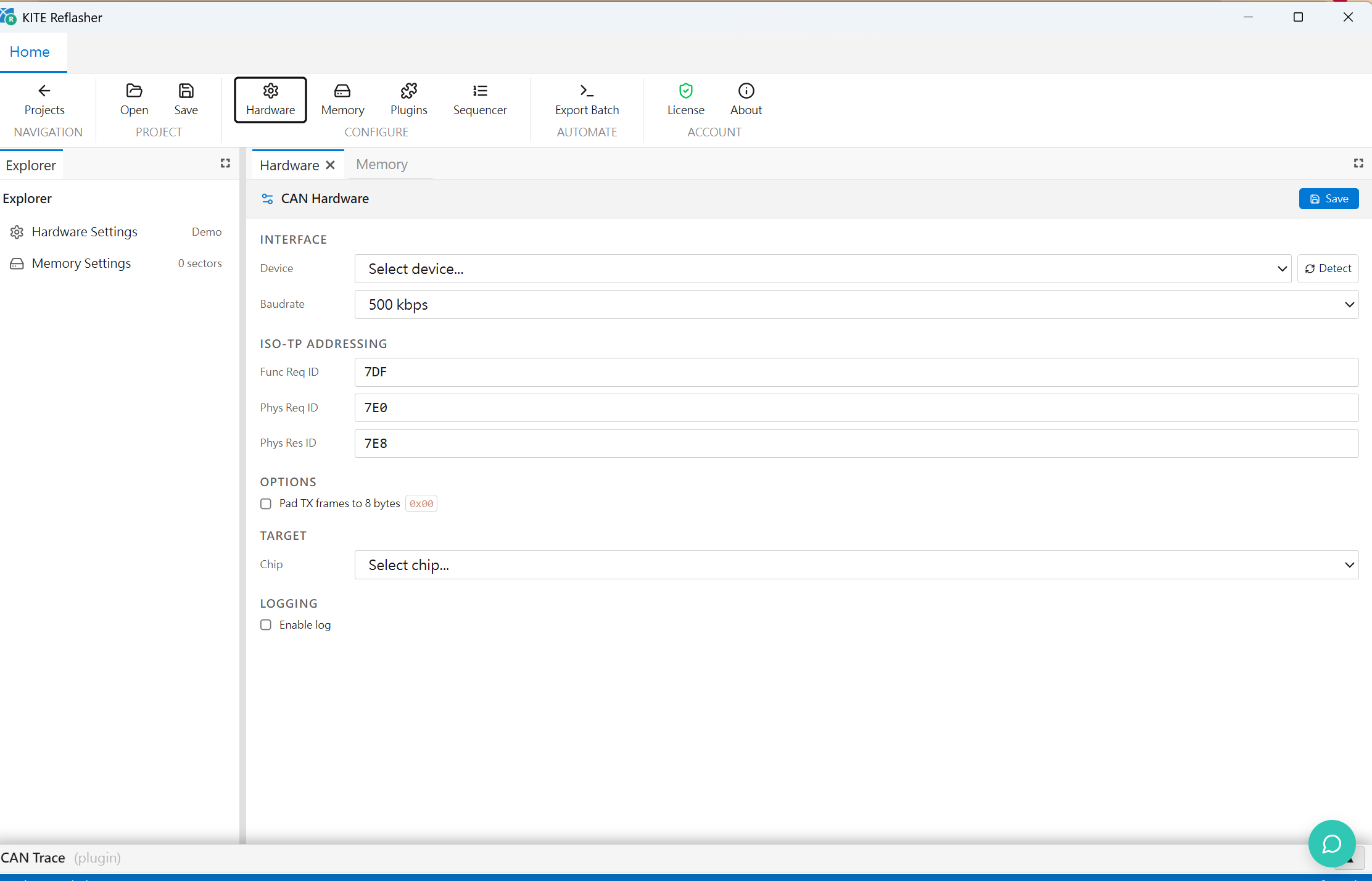
KITE Reflasher supports ECU firmware programming, bootloader bring-up, download sequence validation, and pre-delivery update tests. Engineers can configure diagnostic sessions, Security Access, RoutineControl, RequestDownload, TransferData, and ECU Reset steps while keeping firmware artifacts, settings, logs, and traces for analysis.
Manage session, security, routine, download, transfer, and reset steps.
Process HEX, S-record, BIN, and VBF firmware inputs and prepare download segments.
Preserve ASC traces, step states, failure reasons, and merged firmware details.
Useful for early bootloader validation and ECU update flow debugging.
Supports Intel HEX, S-record, BIN, and VBF, including VBF headers, data blocks, and erase regions.
Uses a sequencer for 0x10, 0x27, 0x31, 0x34, 0x36, 0x37, 0x11, delay, and download steps.
Merges file blocks by Memory Settings, pads gaps with 0xFF, and exports merged HEX artifacts.
Supports routine erase, per-block CRC, final CRC commands, sector-info tables, and ASC trace retention.
Runs diagnostic sessions, Security Access, RoutineControl, RequestDownload, TransferData, RequestTransferExit, and ECUReset over ISO-TP on CAN.
Loads Intel HEX, S-record, BIN, and VBF files, resolving addresses, payloads, VBF headers, data blocks, and erase regions into download blocks.
Stores hardware settings, target / variant, functional / physical CAN IDs, memory sectors, and `.udss` sequence steps in a project workspace.
Uses Memory Settings to merge file blocks inside the same sector, pads gaps with 0xFF, and writes disambiguated merged HEX files per download step.
Supports routine erase, per-block CRC, final CRC commands, and KCU Gen1-style sector-info table write / verify flows.
Keeps step status, CAN traffic, ASC logs, merged HEX artifacts, failure reasons, and final state for bring-up, analysis, and delivery evidence.
From firmware loading and download configuration to step execution and trace retention, ECU update behavior can be validated repeatedly.
Import HEX, S-record, BIN, or VBF and verify addresses and segments.
Set session, security, routine, download, and transfer parameters.
Execute each step and record responses, NRCs, progress, and errors.
Export traces, logs, and firmware handling results for debug or review.
Useful for bootloader validation, update flow development, firmware delivery testing, and field issue analysis.
Validate session switching, security, routine, and transfer behavior.
Repeat the same sequence across firmware versions and compare results.
Use NRC, trace, and step logs to analyze download interruption or ECU reset issues.