
Engineering documents
Organize narrative content, sections, and data blocks in an engineering document.
Read engineering documents, work with structured data, track findings, and connect the work to tests and delivery evidence.
Navigate the project, read engineering documents, and inspect requirements and their sources within the complete workspace.
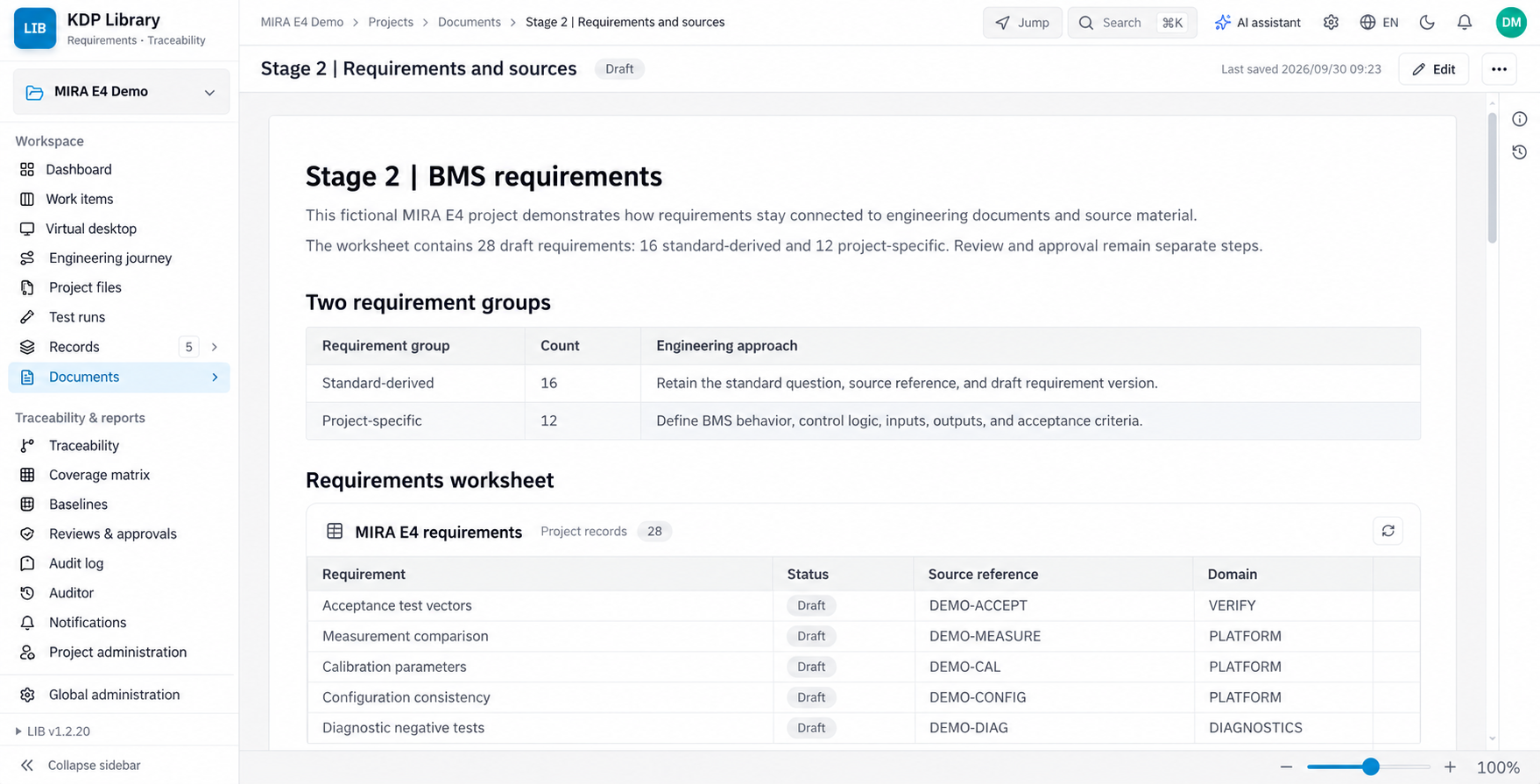
English interface illustration recreated from the KDP Library workspace, showing project navigation, documents, and a requirements worksheet. Project data is illustrative. AI-generated, not an original screenshot.
Open full-size imageA Library document can combine narrative content with structured data blocks. Expand a row while reading to see its details, or switch to a worksheet for focused data work. Projects also organize requirements, work items, tests, and links, so document content can be checked against engineering progress.
Move between narrative content, tables, and row details within a document workspace.
Record Types define fields and workflows for requirements, findings, and other engineering items.
Link requirements, implementation, tests, and evidence to inspect sources and coverage.
Keep document versions, review records, and baselines that identify the content behind a delivery.
Start with reading, editing, and tracking, then connect the work to verification and review.
Organize narrative content, sections, and data blocks in an engineering document.
Work with structured fields in a table or expand a row to inspect evidence, explanations, and related items.
Manage typed records and their state, linking tasks back to the requirement or issue that prompted them.
Organize tasks by project stage and link test cases, execution results, and supporting evidence.
Follow upstream and downstream relationships and use coverage views to inspect missing links.
Review specific content and versions; preserve delivery snapshots in baselines.
Keep content and relationships from project setup through verification and review.
Choose the relevant record types and workflow.
Add narrative content, requirements, and worksheets.
Record findings, tasks, and ownership.
Link test cases, results, and evidence.
Inspect content, links, versions, and open issues.
Freeze delivery content through the applicable approval process.
Scope adoption around your engineering data and team processes.
Manage requirements in their document context and follow design and verification links.
Organize checklists, findings, responses, and evidence for follow-up.
Connect work items, test results, reviews, and baselines.
Library provides data and workflow management. Standards conformity still depends on your processes, engineering activities, and review outcomes.
Requirements, findings, and change management
Engineering documents and structured records
Tests, traceability, and evidence
Versions, reviews, and baselines
Documents can contain structured data blocks whose reading and worksheet views use the same source. The block configuration determines its data scope.
It can manage related requirements, documents, findings, tests, and evidence. It does not independently establish standards conformity or grant formal approval.
Start with a document, checklist, or project, then add work items, tests, traceability, and reviews as needed.
Start with a specification, checklist, or engineering project and build a body of data that can be searched and reviewed.