
Keep the existing firmware project
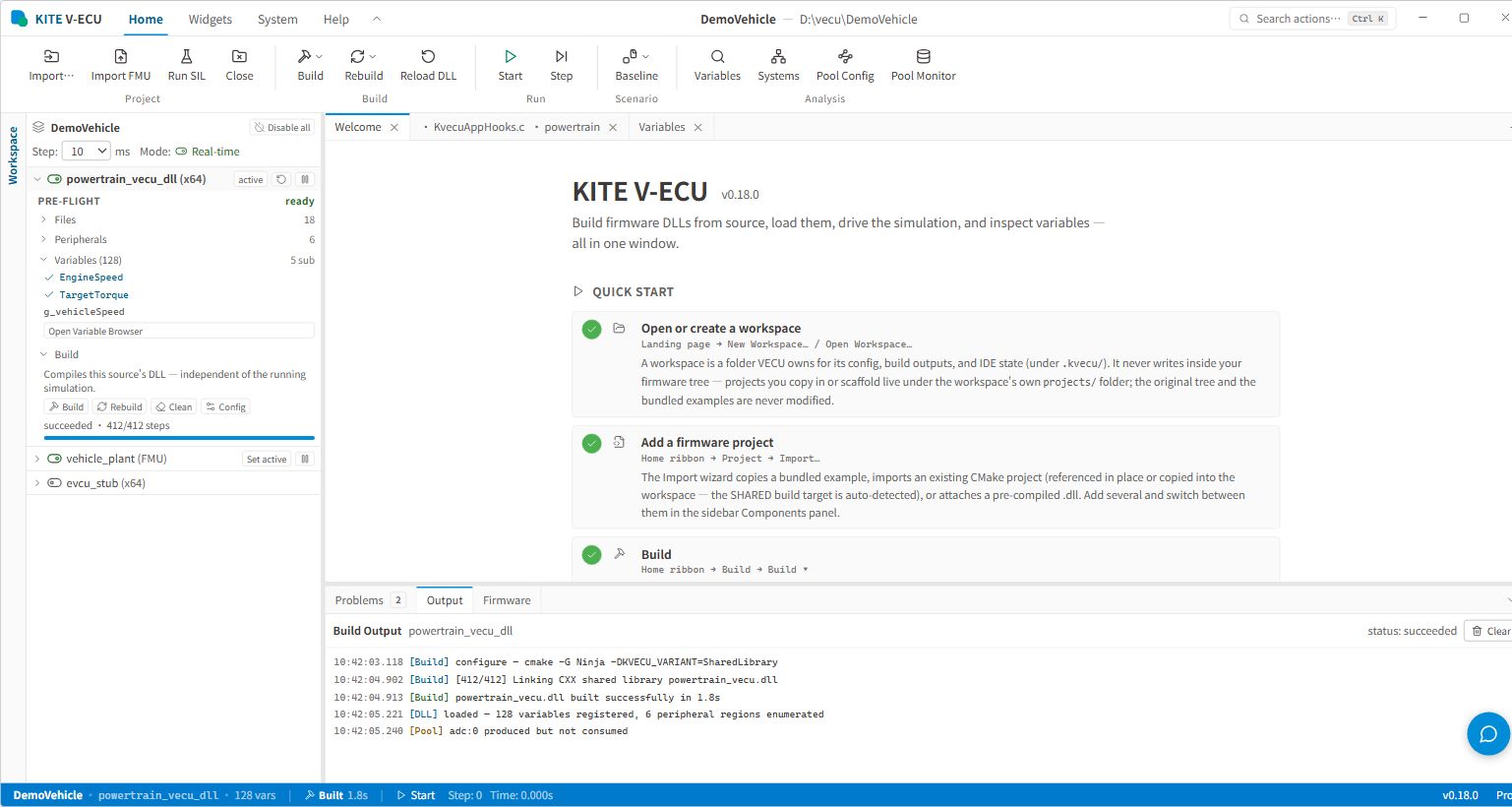
Build the VECU from an existing CMake project instead of maintaining a separate simulation project structure.
Virtual ECU and SIL Simulation Tool
KITE VECU combines firmware builds, virtual ECU execution, multi-ECU signal exchange, and live observation in one SIL workspace, shortening the path from source code to repeatable simulation.
From firmware projects to virtual ECU execution
KITE VECU creates or opens a simulation workspace, builds a VECU DLL from an existing CMake project, and can also load a prebuilt DLL or import an FMU. Engineers then configure Systems / ECU, Variables, ECU Signal Wiring, the Data Exchange Pool, CAN, and peripheral interfaces to run SIL scenarios, observe signals, and compare module behavior from one workspace.
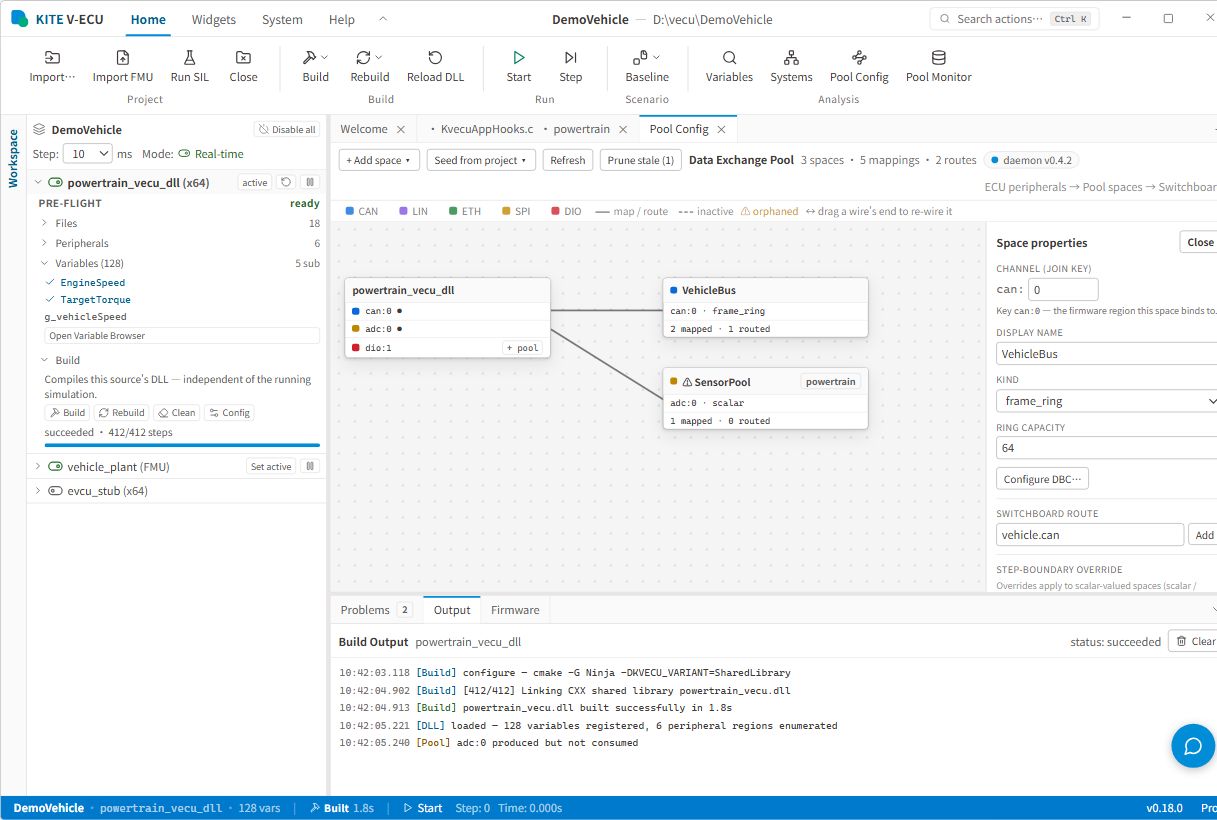
Build the VECU from an existing CMake project instead of maintaining a separate simulation project structure.
Choose source project, prebuilt DLL, or FMU based on the available artifact, and export an FMU from the workspace.
Standardize test operation with Start, Pause, Stop, Step, Restart, and scenario management.
Keep ECU signals, shared data, peripheral interfaces, plots, and dashboards in the same execution context.
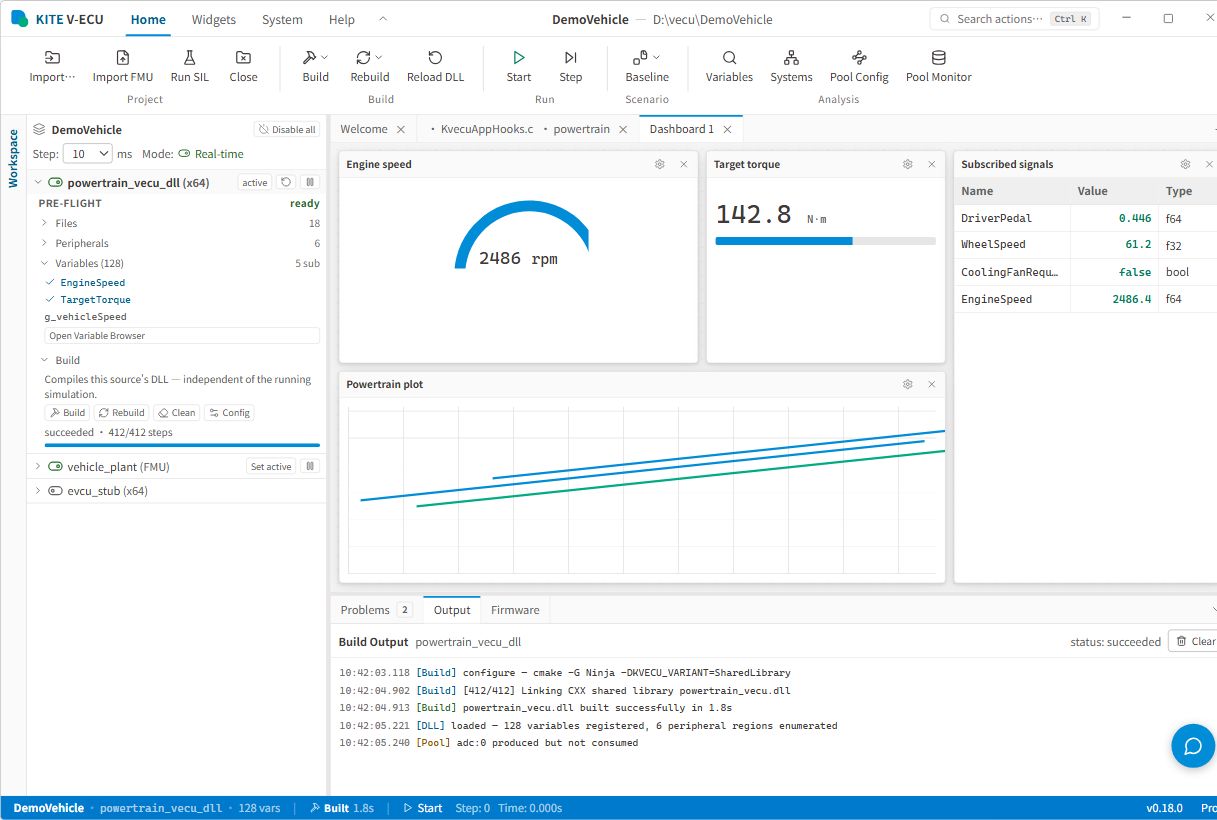
Place simulation signals in gauges, labels, progress bars, tables, plotters, and custom dashboards so test state and trends stay visible.
Screen 01 / 01
Compose a test dashboard from gauges, progress bars, signal tables, and plotters to review VECU state and signal changes in one place.
The engineering workspace covers workspace creation, CMake / Ninja build output, VECU DLL loading, FMU import, and FMU export.
The execution toolbar provides Start, Pause, Stop, Step, Restart, Build, Rebuild, and Reload DLL actions.
The workspace includes Variables, Systems / ECU, ECU Signal Wiring, the Data Exchange Pool, Pool Monitor, CAN Bus, Module Diff, and CAN Fault Injection.
Create or open a workspace, select a CMake project, set the build directory and VECU output, then inspect build status in the output panel.
Attach a prebuilt DLL, import or export an FMU, and control the virtual ECU with Start, Pause, Stop, Step, and Restart.
Search, observe, and change variables while comparing variable and behavior differences between modules or versions.
Create input/output connections across Systems / ECU so multiple VECUs share an inspectable signal topology.
Configure pools, spaces, read/write mappings, DBC, and CAN, LIN, Ethernet, SPI, I2C, FLS, EEP, DIO, ADC, PWM, ICU, and OCU interfaces.
Use gauges, tables, plotters, control widgets, and CAN Fault Injection to build an interactive validation view.
Load engineering artifacts, configure multi-ECU data exchange, run SIL scenarios, and review observations within the same workspace.
Select an existing CMake firmware project, a prebuilt VECU DLL, or import an FMU.
Set the build directory and output, run Build / Rebuild, confirm the DLL is loaded, then reload or export an FMU when needed.
Create Systems / ECU, signal wiring, the Data Exchange Pool, CAN / peripheral mappings, and repeatable test scenarios.
Start or step through SIL execution and inspect results with Variables, Dashboard, Plotter, Pool Monitor, Module Diff, and fault injection.
Designed for development and validation teams that need to verify ECU software, control logic, cross-ECU data exchange, and test scenarios before vehicle or hardware testing.
Build and run firmware before target hardware is available to inspect initialization, variables, and control flow.
Connect multiple VECUs through Signal Wiring and the Data Exchange Pool to inspect cross-module data flow.
Use reusable scenarios, step execution, and dashboards to standardize test operation and observation.
Bring an existing FMU into the workspace or export VECU work as an FMU for another simulation environment.
Configure CAN, DBC, and peripheral mappings, then use Pool Monitor, Module Diff, and CAN Fault Injection to locate behavior differences.