
One model, multiple views
Explorer, Composition, Behavior, and table editors share one model so diagrams and parameters do not diverge.
AUTOSAR Classic SWC Design Tool
Connect composition, port interfaces, runnables, RTE events, data types, system mapping, and ARXML delivery through one AUTOSAR SWC model.
Keep SWC architecture relationships and AUTOSAR details in one model
Kopher SWC Designer is an AUTOSAR Classic application-layer authoring workbench. Engineers use Composition and Behavior diagrams to understand components, ports, connectors, RTE events, and runnables, then edit interface, data-type, behavior, composition, system, and mapping details through seven domain editors. Explorer, diagrams, and tables share one model, while ARXML import and export, System Extract, search, and rule validation connect model authoring, integration review, and delivery without duplicating information across documents.
Explorer, Composition, Behavior, and table editors share one model so diagrams and parameters do not diverge.
Manage AUTOSAR details by domain, from behavior, composition, and system to interfaces, data types, and mappings.
Validation points to model elements with severity, rule codes, and AR paths for correction and delivery review.
The same data supports a full engineering view and guided operation for teams with different experience levels.
From Projects, ARXML import, Composition, and Behavior to domain editors, system mapping, validation, and Guided Mode, Kopher SWC Designer brings AUTOSAR SWC engineering activities into one project workspace.
Screen 01 / 08
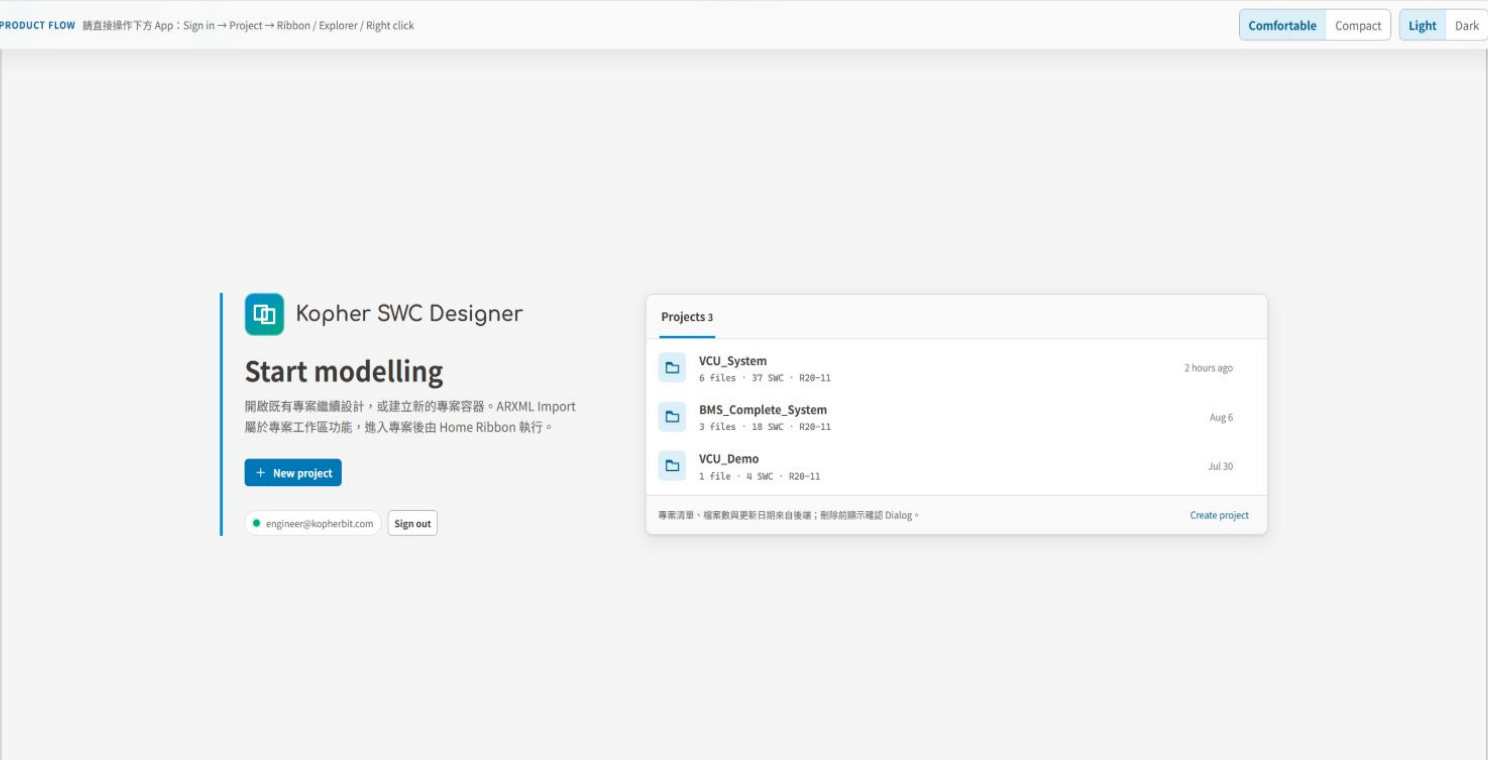
Review ARXML file counts, SWC counts, and AUTOSAR releases, then create or import a project before entering its model workspace.
Screen 02 / 08
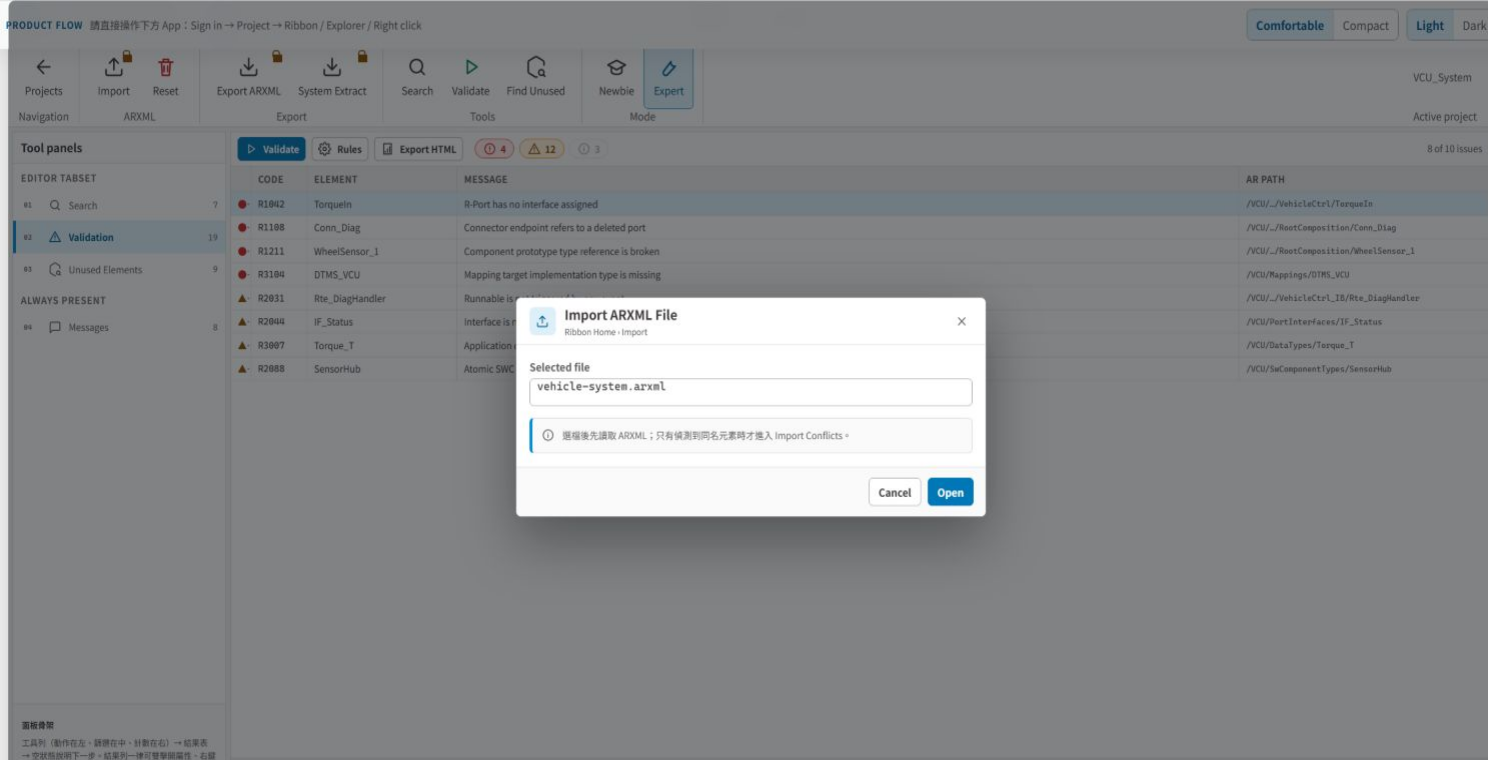
Import existing ARXML from the project workspace and bring supplier or legacy system models into the same SWC authoring flow.
Screen 03 / 08
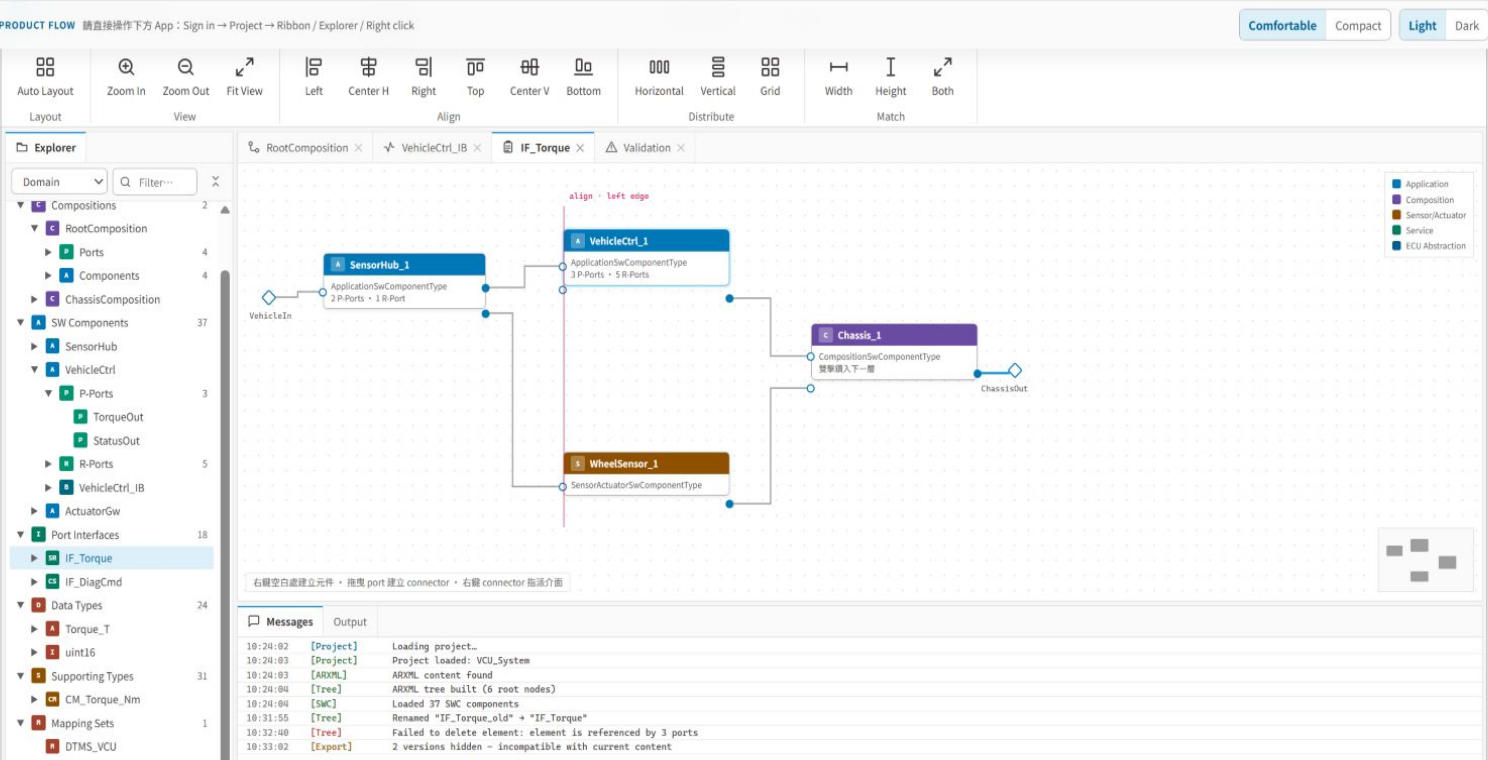
Inspect application, composition, sensor and actuator, service, and ECU abstraction components while working with ports, assembly connectors, and delegation connectors.
Screen 04 / 08
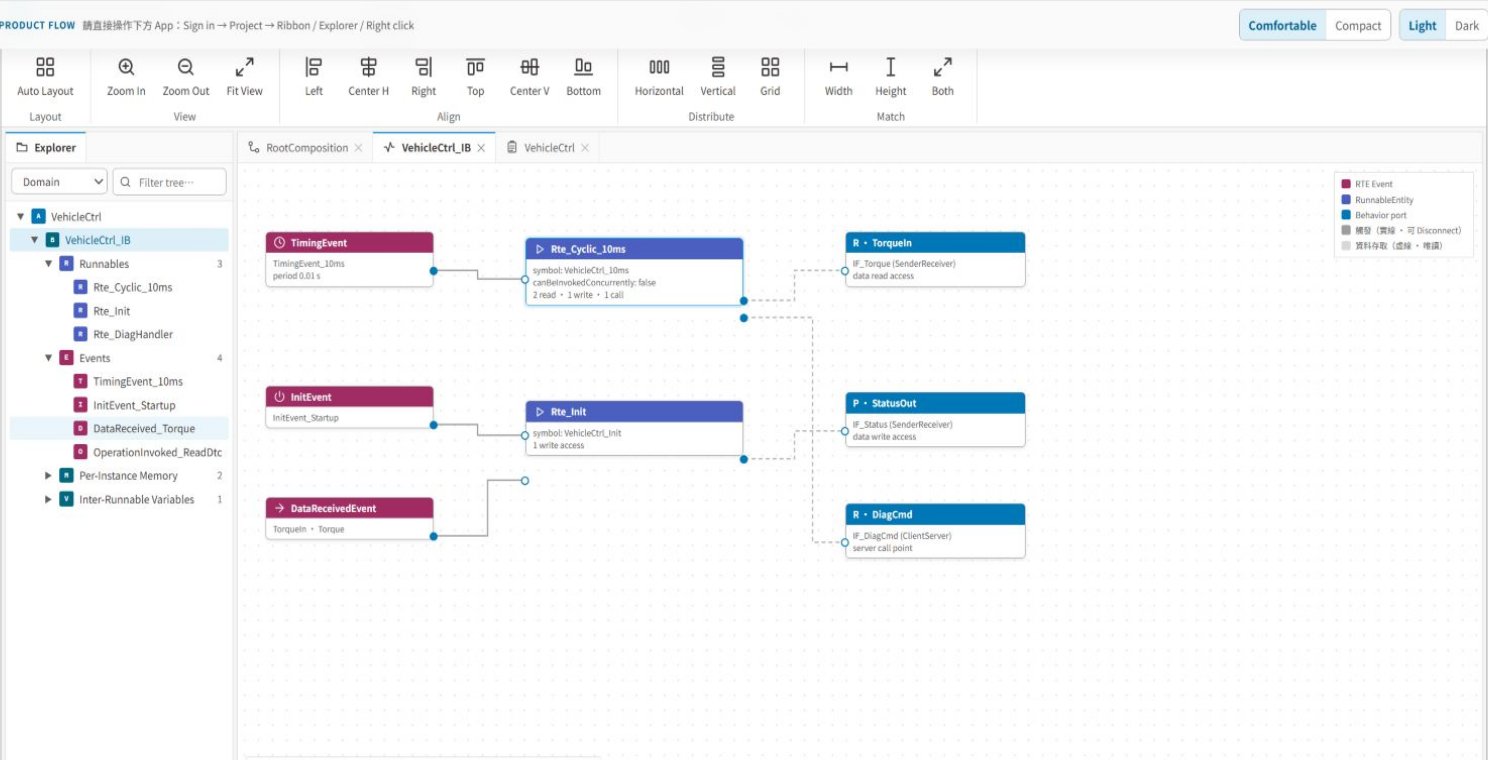
Map timing, init, data-received, operation-invoked, and mode-switch events to runnables, then inspect data access, server calls, PIM, and IRV.
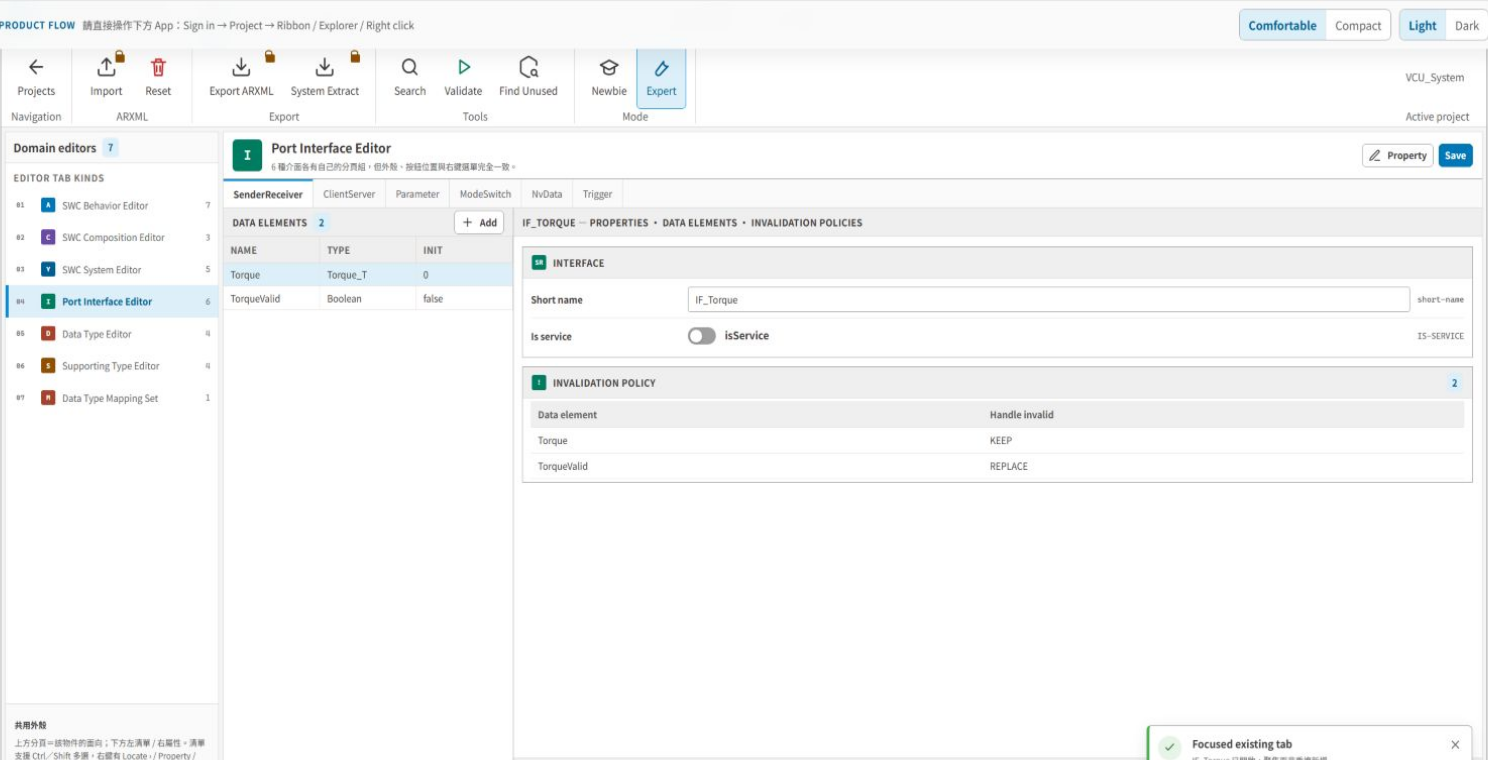
Screen 05 / 08
Seven domain editors cover SWC Behavior, Composition, System, Port Interface, Data Type, Supporting Type, and Data Type Mapping Set.
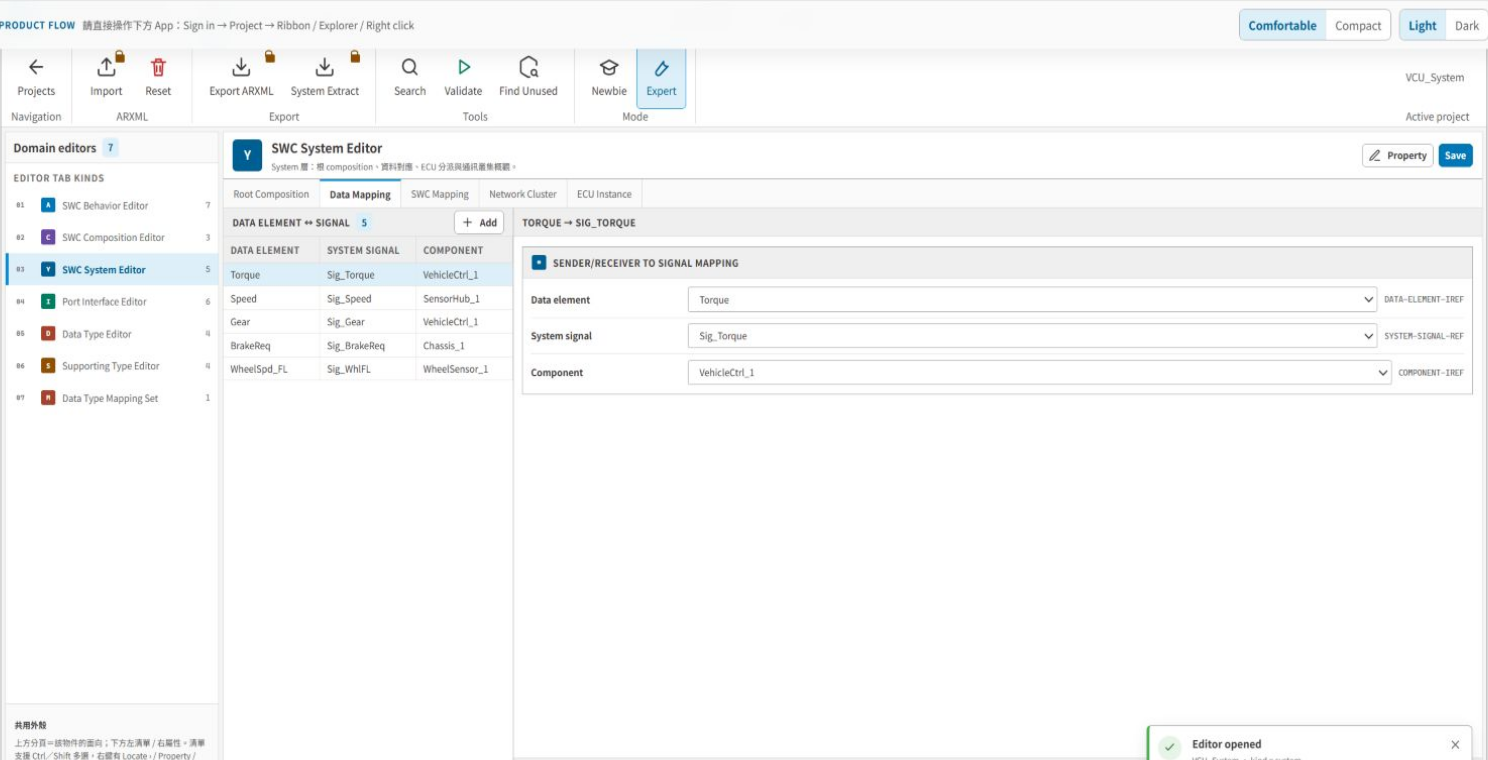
Screen 06 / 08
Use the SWC System Editor for data-element to system-signal mapping and SWC-to-ECU mapping, with network-cluster and ECU-instance views.
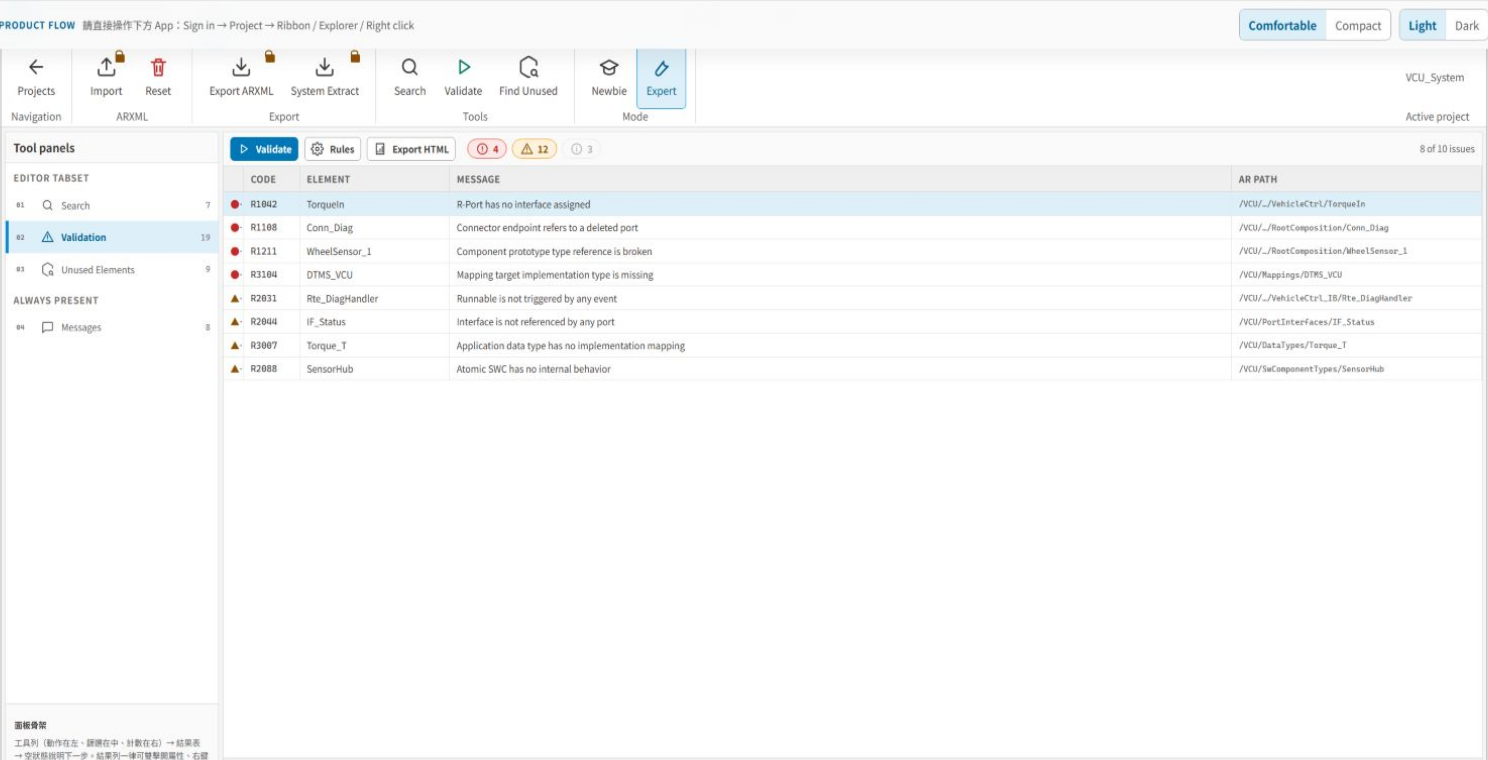
Screen 07 / 08
Locate model issues by severity, rule code, element, message, and AR path, alongside Search, Unused Elements, Messages, and HTML reporting.
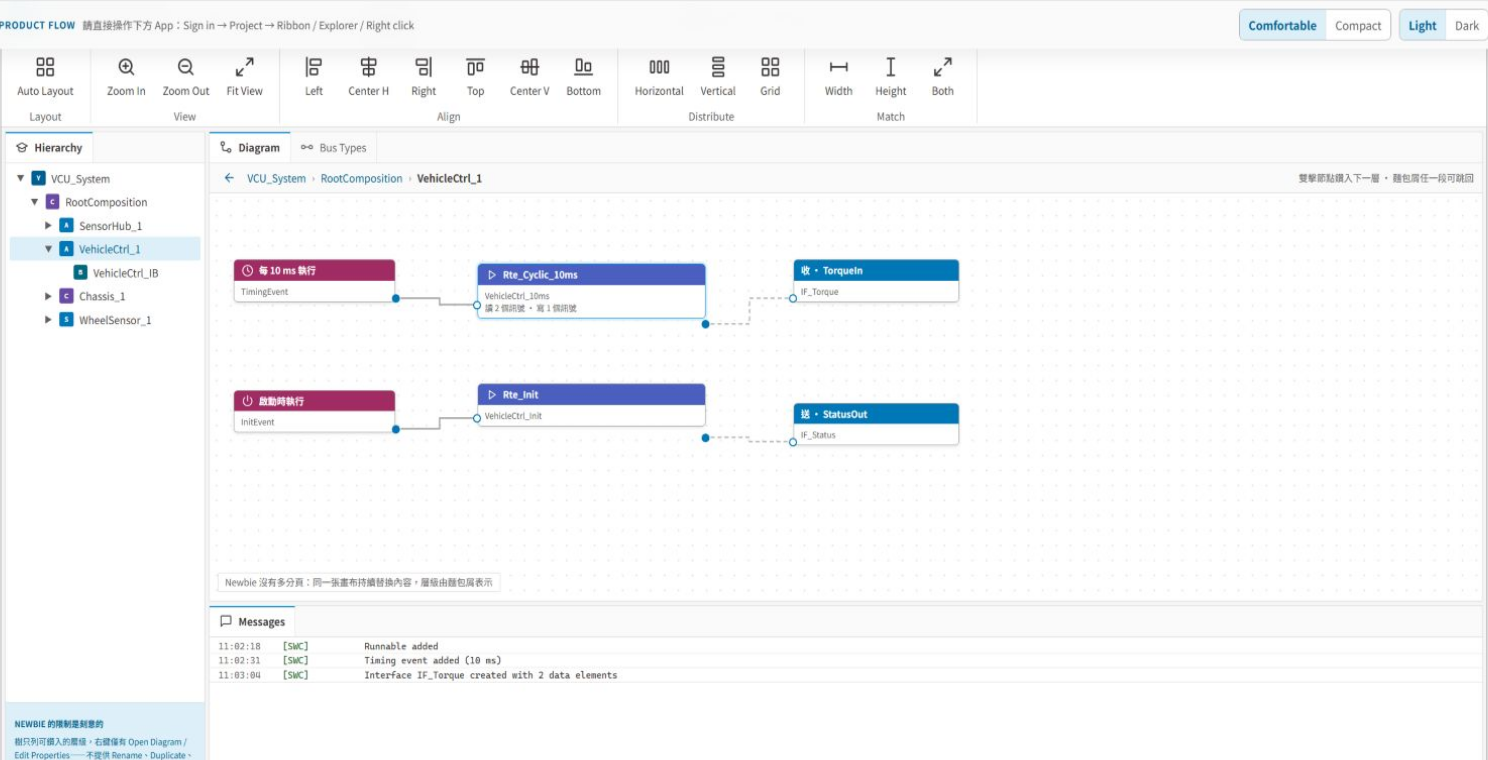
Screen 08 / 08
Expert and Guided modes use the same AUTOSAR model, letting teams adjust information density without maintaining separate project data.
Seven editors: SWC Behavior, SWC Composition, SWC System, Port Interface, Data Type, Supporting Type, and Data Type Mapping Set.
Composition and Behavior diagrams, the Explorer tree, and table editors operate on the same AUTOSAR SWC model.
ARXML import and export, System Extract, and compatibility preflight connect model exchange with delivery checks.
Manage AUTOSAR projects, ARXML sources, import, reset, export, and System Extract while preserving project-level model context.
Create components, ports, interfaces, assembly connectors, and delegation connectors, then edit selected elements through Properties.
Define runnables, RTE events, data access, server calls, PIM, shared parameters, IRV, and service needs.
Edit SenderReceiver, ClientServer, Parameter, ModeSwitch, NvData, Trigger, and related application or implementation data types.
Handle data-element to system-signal and SWC-to-ECU mapping, then connect detailed vehicle-network design to Kopher Network Designer.
Use Search, Validation, Unused Elements, and Messages to locate model elements, unused definitions, and rule issues.
From project sign-in and existing ARXML through SWC architecture, behavior, system mapping, rule checks, and export, all six stages use the same model.
01 / 06
After sign-in, create or open an AUTOSAR project and review its ARXML files, SWC count, and target release.
02 / 06
Import existing ARXML and bring supplier or legacy system definitions into the project model.
03 / 06
Describe component relationships with Composition, ports, interfaces, and connectors.
04 / 06
Create runnables, RTE events, data access, server calls, and internal data.
05 / 06
Complete system-signal and ECU mappings, then run rule, unused-element, and message checks.
06 / 06
Run compatibility preflight and export ARXML or a System Extract for downstream integration.
Designed for ECU teams that need to collaborate on architecture, behavior, interfaces, data types, and system mapping in one AUTOSAR application-layer model and exchange the result as ARXML.
Define SWC boundaries with Composition, ports, and connectors, then review cross-component relationships visually.
Import external models and use Explorer, domain editors, and validation for consolidation, navigation, and rule checks.
Organize runnables, events, data access, server calls, and interfaces into a consistent application-layer model.
Combine Search, Unused Elements, Messages, AR paths, and validation reports to prepare the model for delivery.