
單一模型、多種視圖
Explorer、Composition、Behavior 與表格 Editor 共用同一份模型,避免圖與參數分離。
AUTOSAR Classic SWC 設計工具
以同一份 AUTOSAR SWC 模型串接 Composition、Port Interface、Runnable、RTE Event、資料型別、System Mapping 與 ARXML 交付。
把 SWC 架構關係與 AUTOSAR 細節放在同一個模型
Kopher SWC Designer 是 AUTOSAR Classic 應用層 authoring workbench。工程師可用 Composition 與 Behavior 圖理解 component、port、connector、RTE event 與 runnable 的關係,再由七類 Domain Editor 編輯 interface、data type、behavior、composition、system 與 mapping 細節。Explorer、圖形與表格共用同一份模型,搭配 ARXML 匯入/匯出、System Extract、搜尋與規則驗證,讓模型建置、整合檢查與交付不必在多份文件間反覆同步。
Explorer、Composition、Behavior 與表格 Editor 共用同一份模型,避免圖與參數分離。
從 behavior、composition、system 到 interface、data type 與 mapping,以領域分工管理 AUTOSAR 細節。
Validation 以 severity、規則代碼與 AR path 指向模型元素,支援修正與交付前檢查。
同一份資料提供完整工程視圖與引導式操作,方便不同熟練度角色協作。
從 Projects、ARXML 匯入、Composition 與 Behavior,到 Domain Editor、System Mapping、Validation 與 Guided Mode,Kopher SWC Designer 將 AUTOSAR SWC 工程活動整合在同一個專案工作區。
畫面 01 / 08
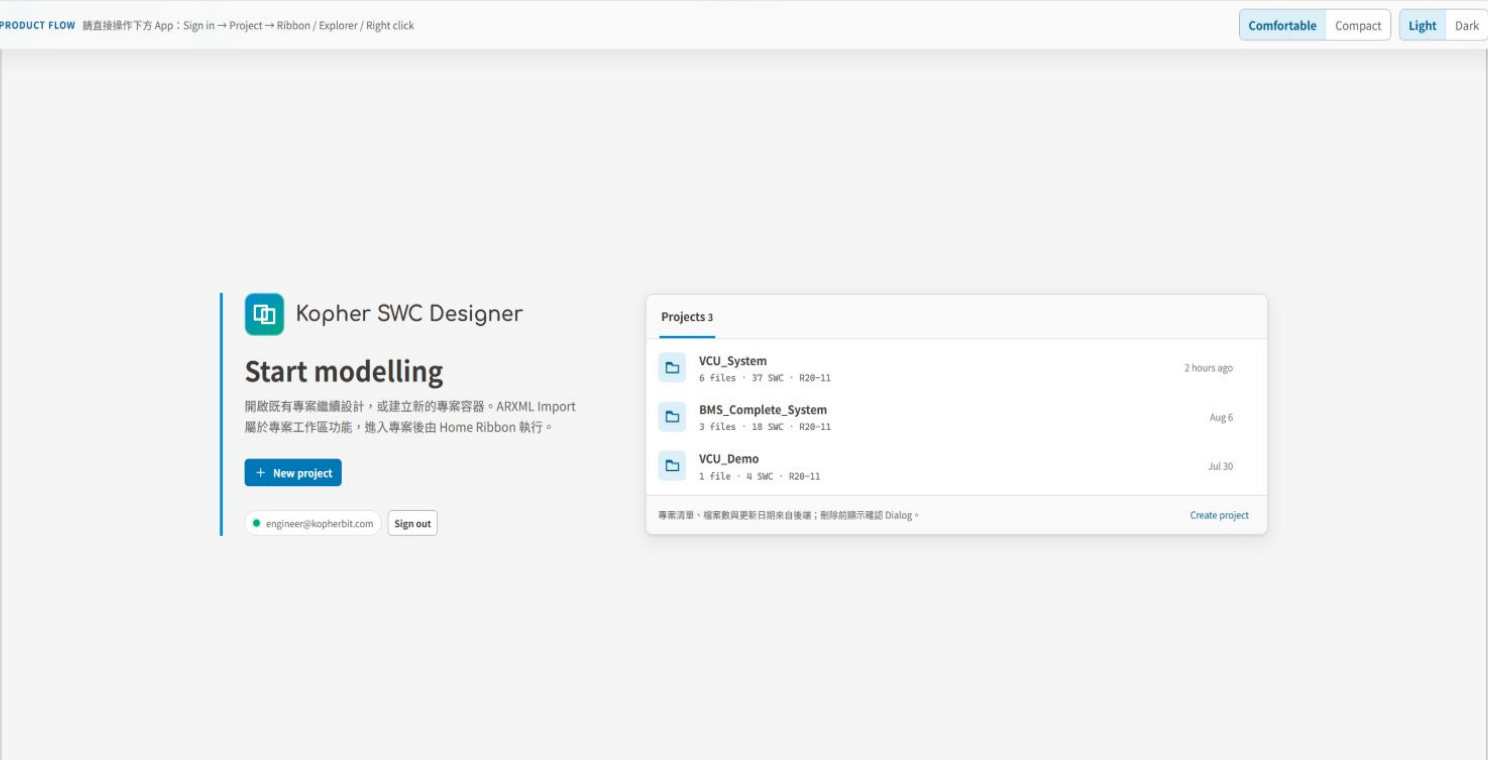
集中查看專案的 ARXML 檔案數、SWC 數量與 AUTOSAR release,建立或匯入專案後再進入模型工作區。
畫面 02 / 08
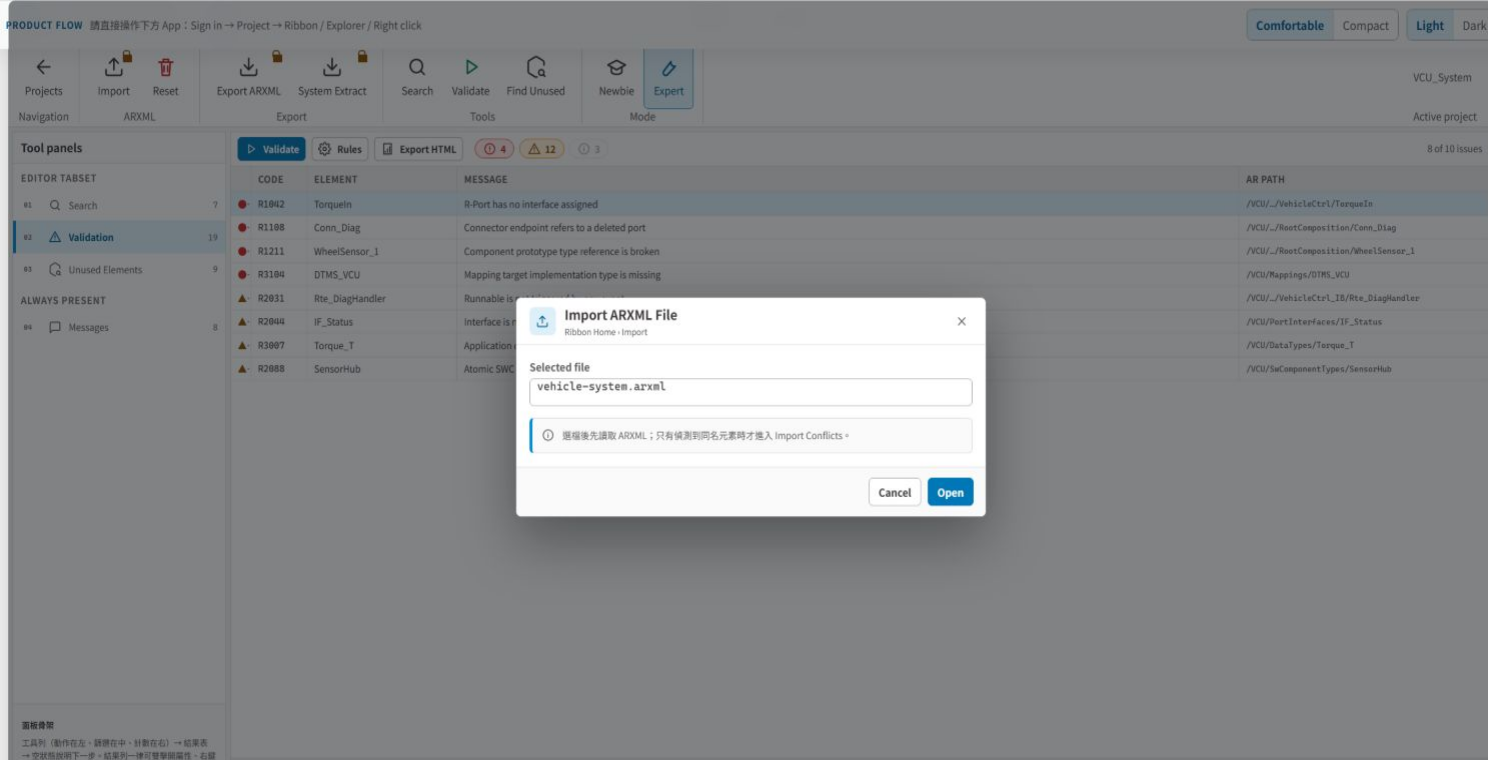
從專案工作區匯入既有 ARXML,將供應商或既有系統模型納入同一個 SWC authoring 流程。
畫面 03 / 08
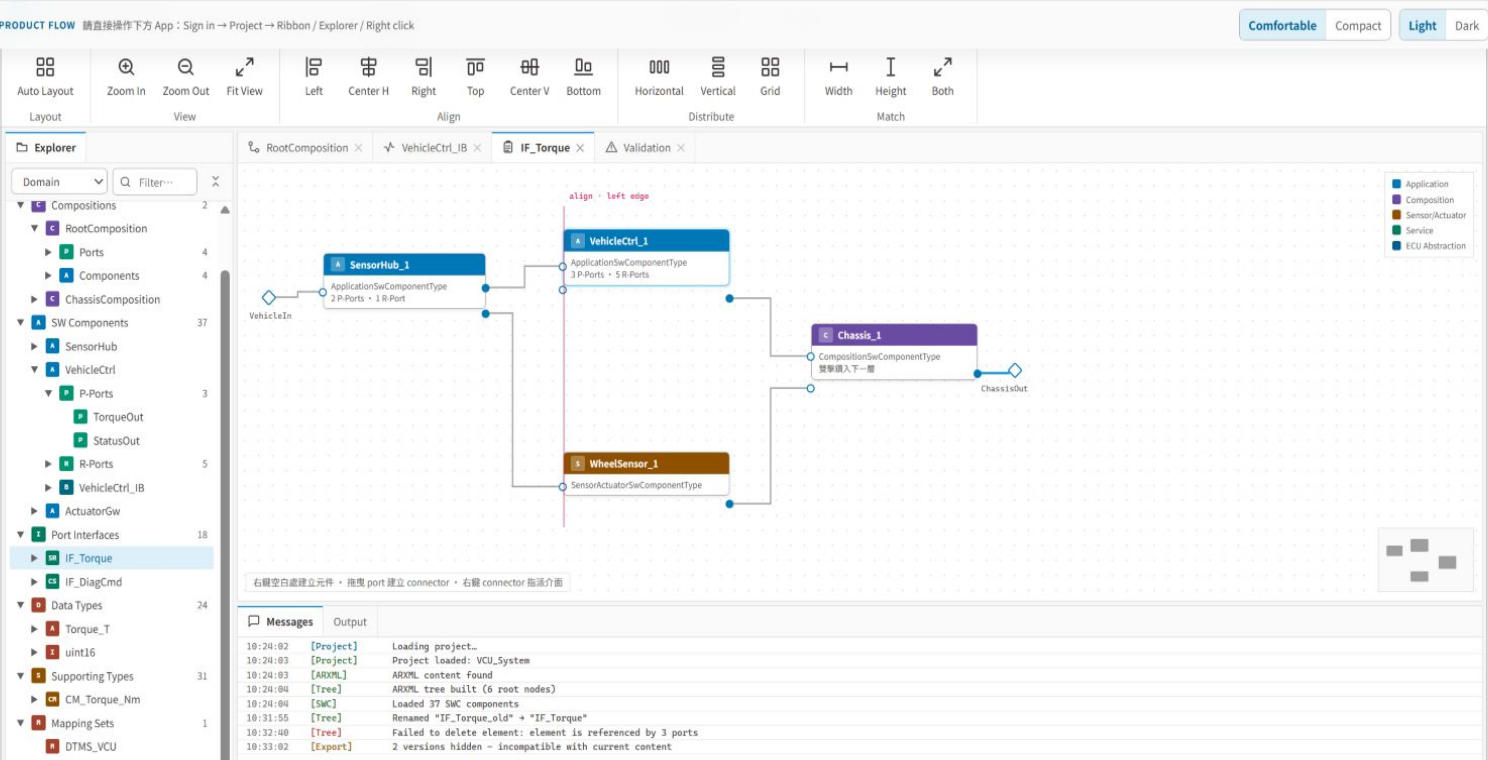
以圖形檢查 Application、Composition、Sensor / Actuator、Service 與 ECU Abstraction component,並處理 port、assembly connector 與 delegation connector。
畫面 04 / 08
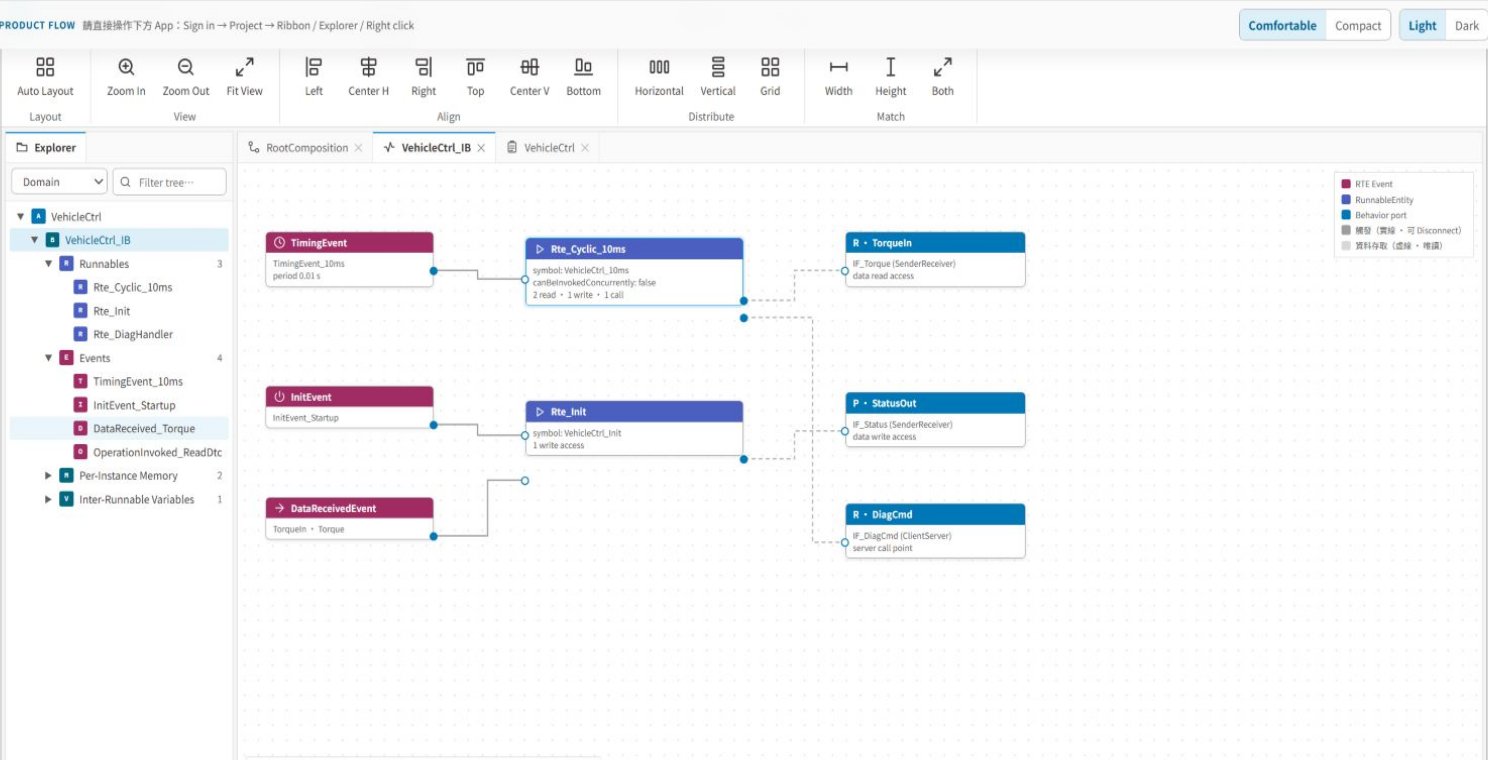
把 Timing、Init、Data Received、Operation Invoked 與 Mode Switch Event 對應到 runnable,並檢視資料存取、server call、PIM 與 IRV。
畫面 05 / 08
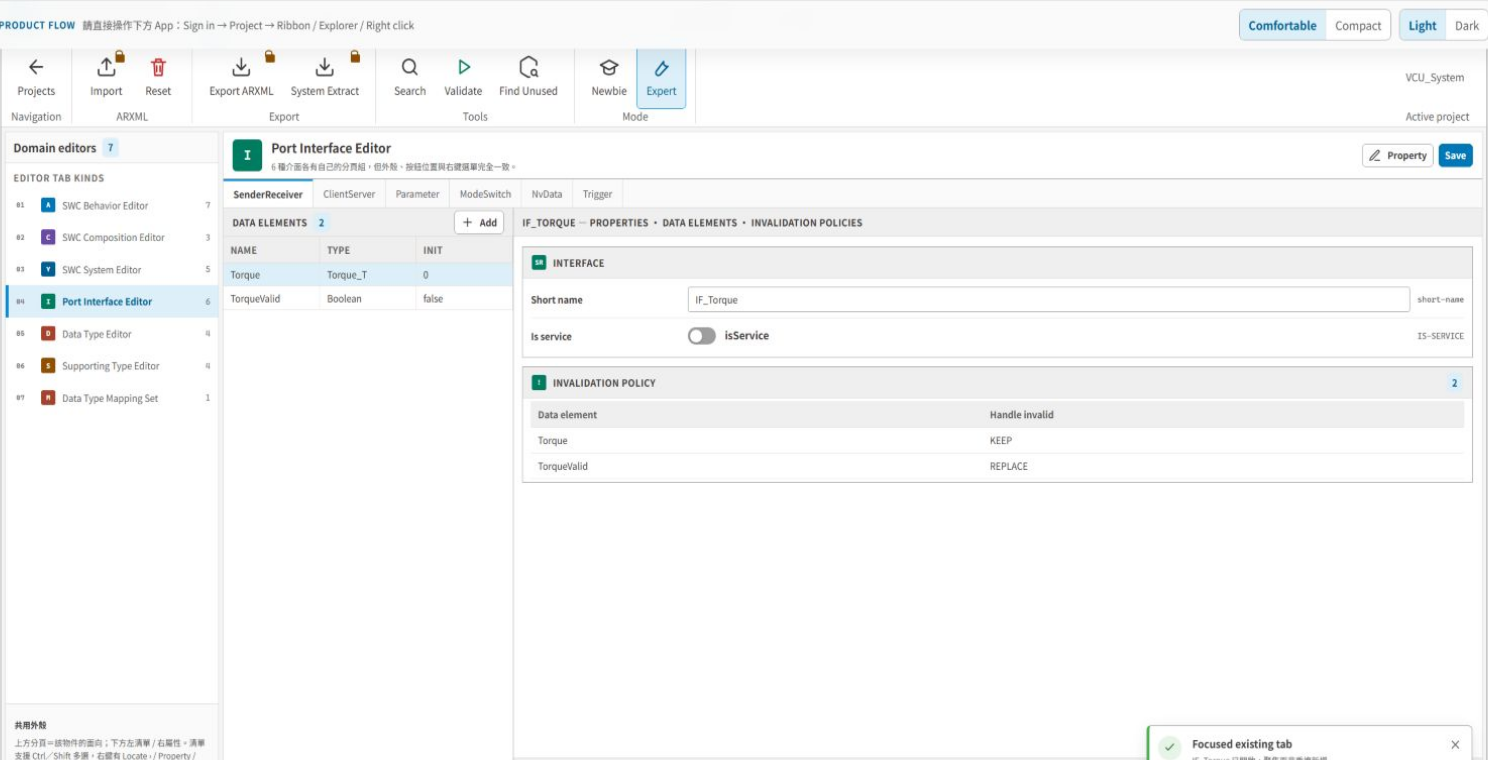
七類 Domain Editor 涵蓋 SWC Behavior、Composition、System、Port Interface、Data Type、Supporting Type 與 Data Type Mapping Set。
畫面 06 / 08
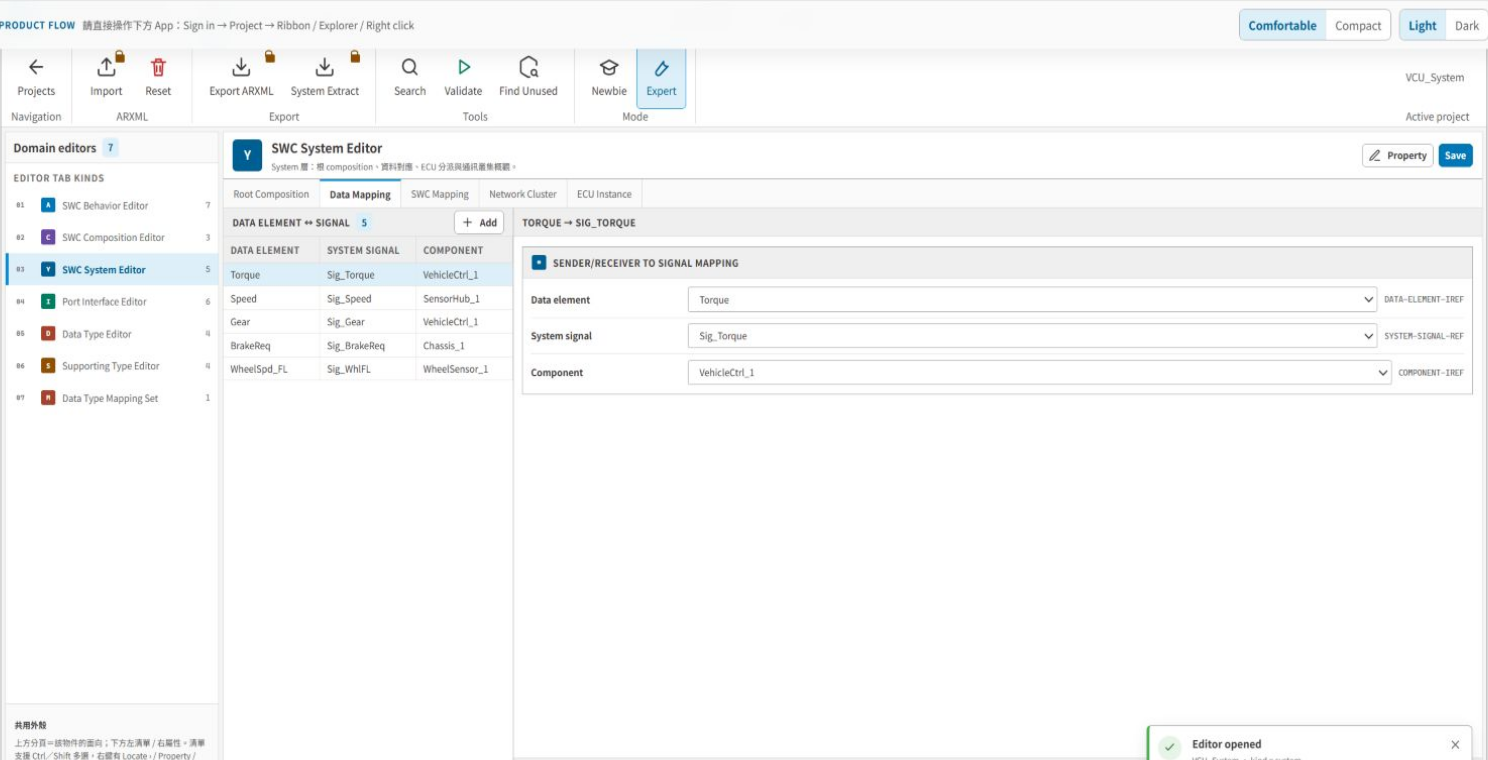
在 SWC System Editor 進行 data element 與 system signal mapping、SWC 與 ECU mapping,並檢視 network cluster 與 ECU instance。
畫面 07 / 08
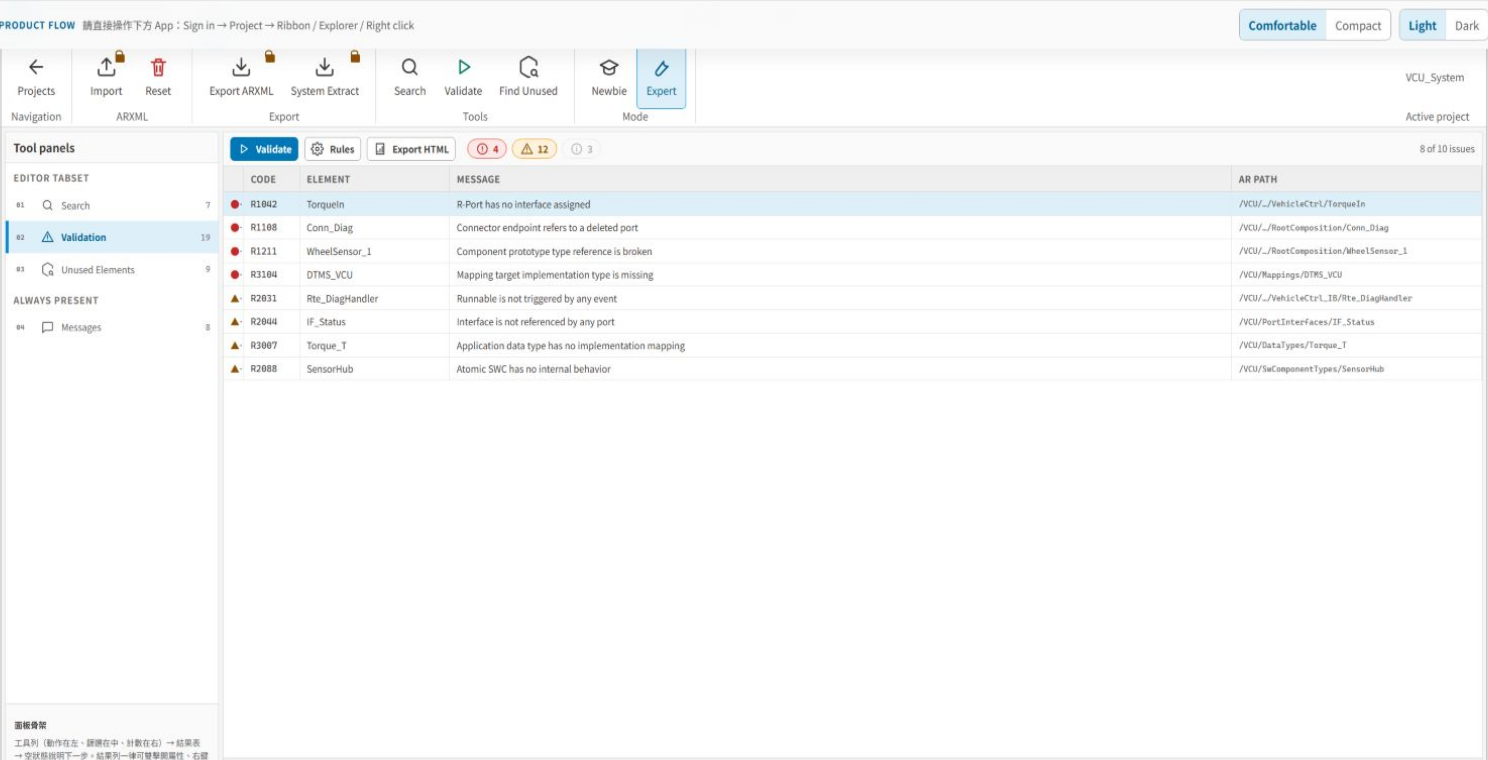
以 severity、規則代碼、element、訊息與 AR path 定位模型問題,並搭配 Search、Unused Elements、Messages 與 HTML 報告。
畫面 08 / 08
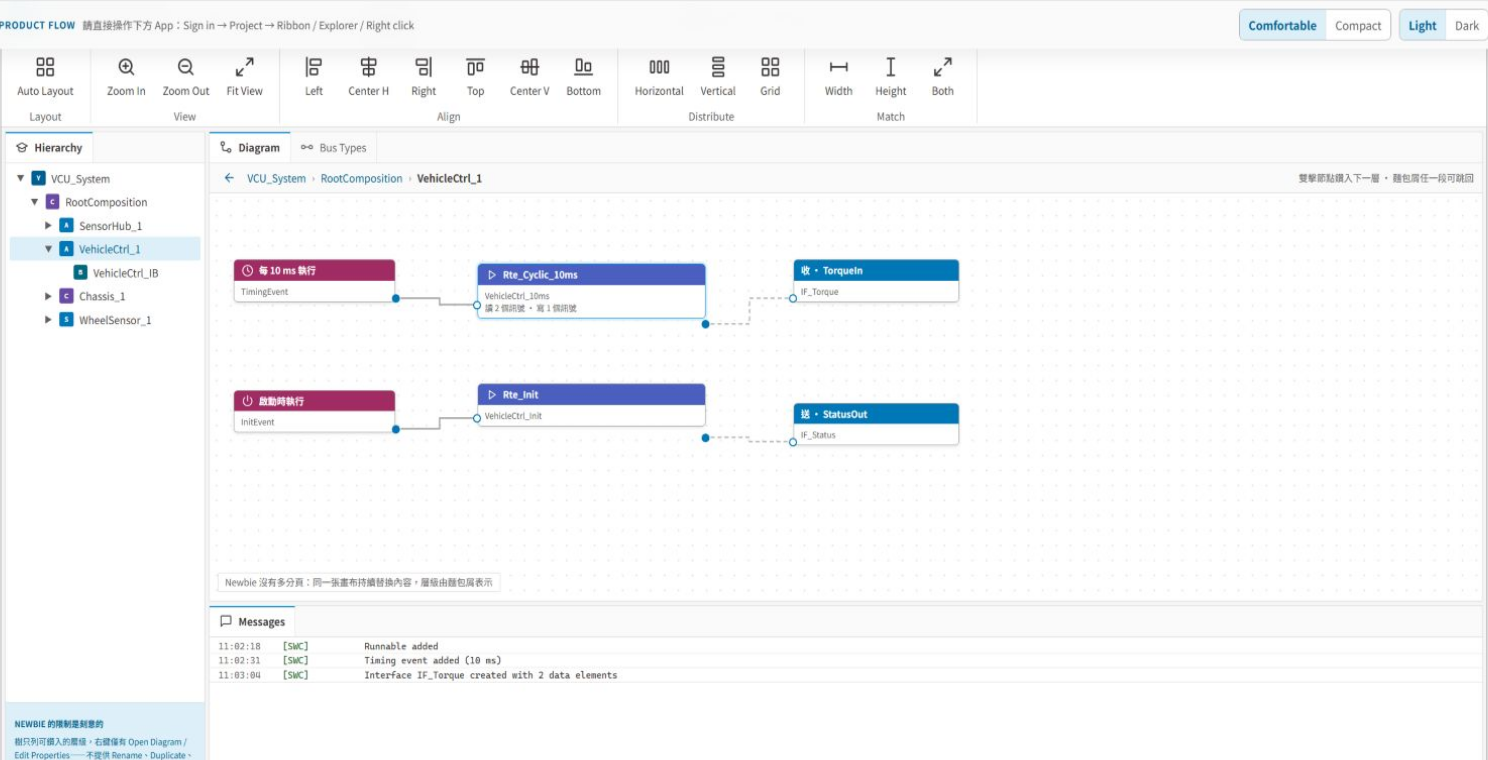
Expert 與 Guided Mode 使用同一份 AUTOSAR 模型;依任務成熟度切換資訊密度,不必維護兩套專案資料。
七類 Editor:SWC Behavior、SWC Composition、SWC System、Port Interface、Data Type、Supporting Type、Data Type Mapping Set。
Composition 與 Behavior 圖、Explorer 樹與表格式 Editor 操作同一份 AUTOSAR SWC 模型。
ARXML 匯入/匯出、System Extract 與 compatibility preflight 串接模型交換與交付檢查。
管理 AUTOSAR 專案、ARXML 來源、匯入、重設、匯出與 System Extract,保留專案級模型脈絡。
建立 component、port、interface、assembly connector 與 delegation connector,並以 Properties 編輯選定元素。
定義 runnable、RTE event、data access、server call、PIM、shared parameter、IRV 與 service need。
編輯 SenderReceiver、ClientServer、Parameter、ModeSwitch、NvData、Trigger 與相關 application / implementation data type。
處理 data element / system signal 與 SWC / ECU mapping;詳細車載網路設計可銜接 Kopher Network Designer。
以 Search、Validation、Unused Elements 與 Messages 尋找模型元素、未使用項目與規則問題。
從登入專案、納入既有 ARXML,到建立 SWC 架構、行為、system mapping、規則檢查與成果物匯出,六個階段都使用同一份模型。
01 / 06
登入後建立或開啟 AUTOSAR 專案,確認 ARXML 檔案、SWC 數量與目標 release。
02 / 06
匯入既有 ARXML,將供應商或既有系統定義納入專案模型。
03 / 06
用 Composition、port、interface 與 connector 描述 component 關係。
04 / 06
建立 runnable、RTE event、data access、server call 與內部資料。
05 / 06
完成 system signal、ECU mapping,執行規則、未使用元素與訊息檢查。
06 / 06
執行 compatibility preflight,輸出 ARXML 或 System Extract 供下游整合。
適合需要在同一個 AUTOSAR 應用層模型中協作架構、行為、介面、資料型別與系統 mapping,並以 ARXML 交換成果的 ECU 團隊。
以 Composition、port 與 connector 建立 SWC 邊界,並透過圖形快速審查跨 component 關係。
匯入外部模型後用 Explorer、Domain Editor 與 Validation 進行整併、定位與規則檢查。
把 runnable、event、data access、server call 與 interface 定義整理為一致的 application-layer model。
結合 Search、Unused Elements、Messages、AR path 與驗證報告,整理交付前模型品質。