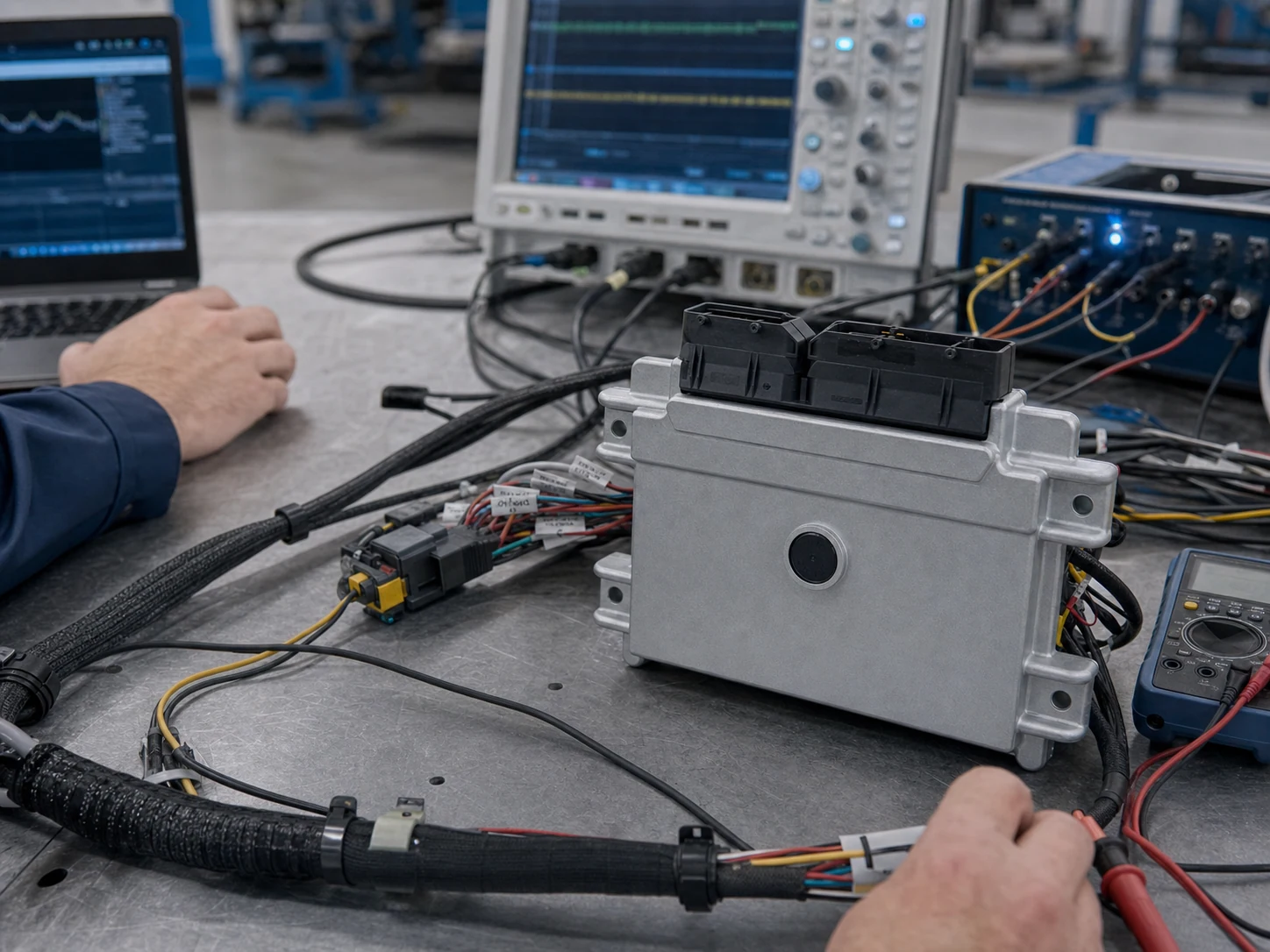
AUTOSAR engineering for automotive ECUs and Vehicle Control Units — multi-vendor tool chains, multi-MCU MCAL, SWC and MATLAB integration, multi-core OS tuning, Lauterbach / iSYSTEM diagnostics, and production Secure Boot.
We are not tied to a single tool chain or MCU. We integrate with your existing ECU, production plan, and safety requirements end-to-end — from ARXML design to production Secure Boot.
01
Platform & Tool Chains
Multi-Vendor AUTOSAR Tool Chains
Hands-on experience with Vector DaVinci / MICROSAR, EB tresos, ETAS RTA-CAR, KPIT, and Mentor Volcano; we can also integrate OEM-proprietary stacks.
BSW / MCAL Configuration and Integration
Production experience on Infineon AURIX, NXP S32, ST SPC58 / Stellar, TI Hercules / Jacinto, and Renesas RH850 automotive MCUs.
02
Application & Real-Time
SWC, RTE, and MATLAB Tool Chain
SWC decomposition, port interfaces, and runnable design — plus MATLAB Simulink + Embedded Coder to generate AUTOSAR-compliant SWC source and ARXML.
OS and Multi-Core Optimization
AUTOSAR OS task / resource / counter configuration, multi-core mapping, inter-core IOC communication, and real-time performance tuning.
03
Diagnostics, Security & Production
Diagnostics, Debugging, and Production Integration
UDS / Dcm / Dem design, integrated with Lauterbach TRACE32 and iSYSTEM winIDEA for real-time trace, measurement, and field issue analysis.
Secure Boot and Production Encryption
HSM configuration, Secure Boot flow design, key generation and custody, production line flashing and signing — aligned with UN R155 / ISO 21434.
MCAL / BSP
Supported MCAL MCU Platforms
We have accumulated MCAL and BSP integration experience across major automotive MCU families. You can keep your current silicon or let us help you select one.
Infineon
AURIX TC3xx / TC4xx
NXP
S32K / S32G / MPC57xx
STMicro
SPC58 / Stellar
Texas Instruments
Hercules TMS570 / Jacinto
Renesas
RH850 / RL78
FROM ARCHITECTURE TO PRODUCTION
Engineering Workflow
Four engineering milestones take the program from system and ECU architecture through hardware integration and production validation, with clear inputs, outputs, and review gates at every stage.
01
System and ECU Architecture Design
System Description, ECU Extract, ARXML, port interfaces, and SWC planning.
02
BSW / MCAL Configuration and Generation
Configure BSW, MCAL, OS, COM, Dcm, Dem, and Nvm for the target MCU and generate code.
03
SWC, RTE, and MATLAB Implementation
Complete SWC design, RTE generation, and translate MATLAB Simulink models into AUTOSAR framework source.
04
Integration, Diagnostics, and Production Validation
Integrate on hardware with Lauterbach / iSYSTEM debugging, deploy Secure Boot and EOL encryption, and complete production validation.
ENGINEERING OUTPUT
Project Deliverables
At project completion, you receive production-ready, long-term maintainable deliverables — design files, configurations, source code, safety documents, and production flow.
ARXML and BSW Configuration
Complete System Description, ECU Extract, BSW / MCAL configuration, and generation scripts.
SWC Source and RTE
Software Component C source, runnables, ports, RTE generation files, and version tags.
UDS / Dcm / Dem design, DTC tables, Lauterbach or iSYSTEM trace scripts, and analysis reports.
Secure Boot and Key Management
Secure Boot design documents, key generation flow, HSM configuration, and production signing scripts.
Test and Production Documents
BSW / SWC integration test reports, EOL scripts, version logs, and field issue response procedures.
COMPLIANCE BY DESIGN
Standards and Compliance
Our AUTOSAR engineering process aligns with international standards and production audit requirements, with full requirement-design-test traceability.
ISO 26262 Functional Safety
Supports ASIL analysis, safety mechanisms, and documentation based on the Item Definition, HARA, and Safety Goals; targets and deliverables follow the project safety plan.
ISO 21434 / UN R155 Cybersecurity
Security risk assessment, Secure Boot, secure communication, TARA documentation, and production encryption flow.
AUTOSAR Classic and Adaptive
Supports Classic R20-11 / R22-11 / R23-11 and Adaptive AP integration.
ASPICE Aligned Process
Bidirectional traceability matrix aligned with ASPICE Level 2 / 3.
Frequently Asked Questions
Which AUTOSAR tool chains do you support?
We have production experience with all major commercial chains — Vector DaVinci / MICROSAR, EB tresos, ETAS RTA-CAR, KPIT, and others. If your OEM uses a proprietary stack, we can integrate that too. We are vendor-agnostic.
Which MCU platforms do you support for MCAL?
We have integrated AUTOSAR MCAL on Infineon AURIX TC3xx / TC4xx, NXP S32K / S32G, ST SPC58 / Stellar, TI Hercules, and Renesas RH850. Other platforms can be evaluated on request.
How do you help customers generate AUTOSAR components from MATLAB models?
We design the SWC interfaces and ARXML framework, then either party uses MATLAB Simulink with Embedded Coder to generate AUTOSAR-compliant C source. We complete RTE and BSW integration and verification. We can also reverse-import existing SWCs into Simulink for behavioral verification.
How do you optimize task distribution on multi-core ECUs?
Based on real-time requirements, safety level, and resource budget, we plan OS task placement across cores, inter-core IOC communication, and shared resource protection. Performance is measured with Lauterbach or iSYSTEM (CPU load, jitter, latency) and iterated.
How do you implement Secure Boot and encryption in production?
We design a Secure Boot flow on the target MCU's HSM, including multi-stage bootloader verification, key generation and custody, and production line flashing and signing — aligned with UN R155 / R156, ISO 21434, and OEM production audit requirements.
How do you assist with field debugging and diagnostics?
In development we integrate Lauterbach TRACE32 and iSYSTEM winIDEA with AUTOSAR OS and RTE for real-time trace, variable monitoring, breakpoints, and performance analysis. In production, we use UDS, DTC, and ODX tools for remote and field diagnostics.
We use cookies for traffic analytics and to improve your experience. Click “Accept” to enable analytics cookies (Google Analytics), or decline. See our Privacy Policy。