
Free
US$0
- KITE UDS Tester Essential
- KITE Calibrator Essential
- KITE Reflasher Essential
- Online license validation
- Community support
KopherBit Development Platform (KDP) delivers automotive engineering tools by subscription. Sign in to KDP Hub with one account to review the plan, activate licenses, manage authorized devices, install tools, and receive updates.
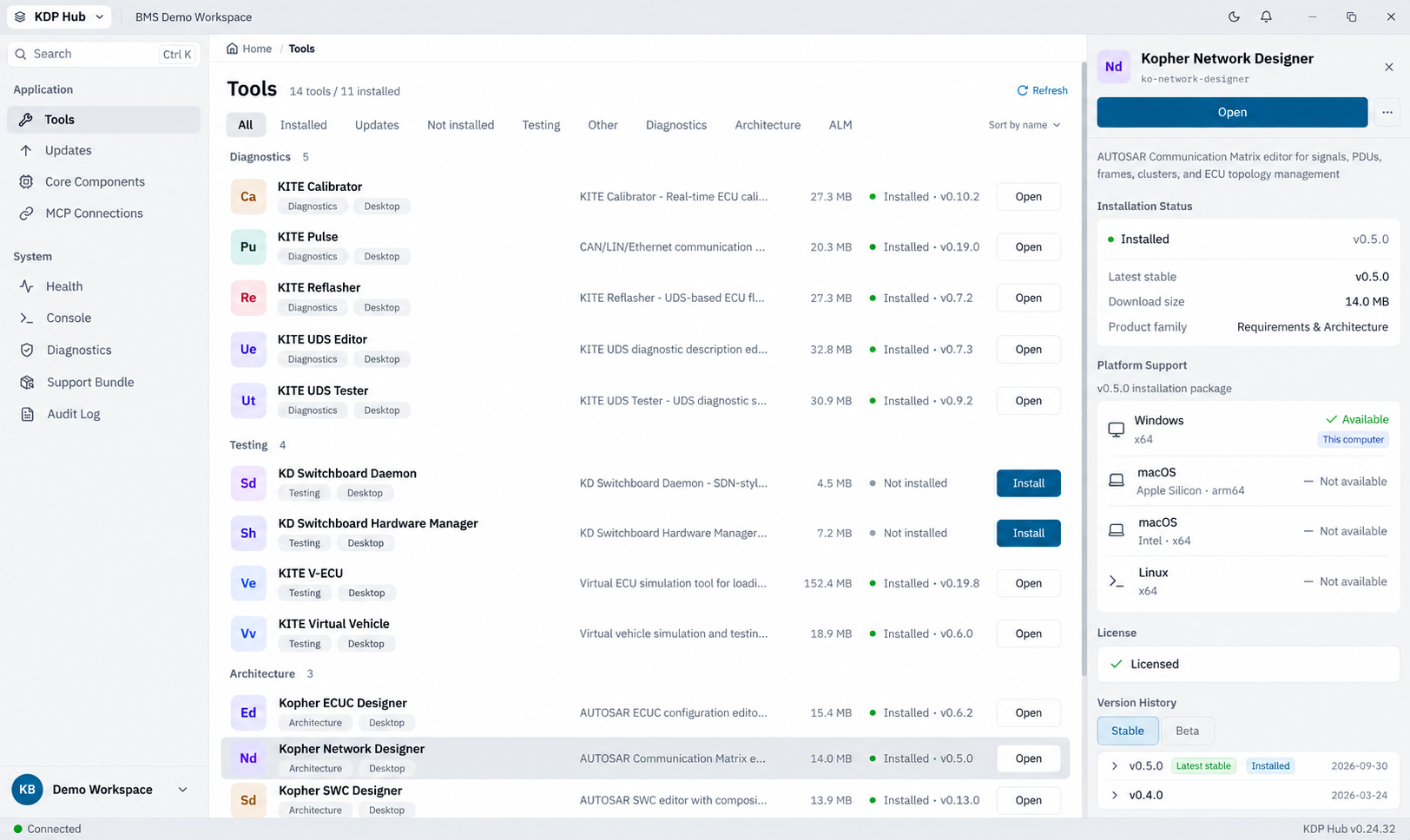
KDP keeps the account, plan, license, and authorized device in one flow instead of requiring a separate license key for every tool.
Use a work email with the same KDP account.
Use Free or subscribe to Standard for additional access.
KDP Hub validates the plan and authorizes the device.
Install and open the engineering tools available to the plan.
Start with free tools. Upgrade as your needs grow.
US$0
US$39/month
Hub is more than an installer. It keeps license status, devices, updates, and feedback channels in one manageable delivery flow.
Review the current plan, license state, and available tools. Hub synchronizes access after a plan change.
Manage authorized devices. Standard supports up to 30 days of offline use while the license remains valid.
Hub checks available versions and provides one update entry point with release information for installed tools.
Submit issues, workflow requests, and version feedback through one support channel for continued improvement.
After using a tool, submit workflow questions, unexpected behavior, and improvement requests. Include the tool version, reproduction steps, and only the non-confidential information needed for investigation.
Send product feedbackThis page explains the subscription and management relationship. See each product page for features, protocols, and workflows.
KDP uses subscriptions. Free is US$0; Standard is currently US$39 per month. Current plan, promotion, and trial terms are shown on KDP Pricing.
After sign-in, KDP Hub validates the account plan and shows the available tools and license status in the same account workspace.
Use KDP device management to review or remove a registered device, then sign in from the new device. Device limits follow the current plan rules.
Free uses online license validation. Standard supports up to 30 days of offline use and refreshes the license after the device reconnects.
KDP Hub shows available updates and version information so installed tools can be updated from one entry point with release notes.
Pro and additional tools remain on the product roadmap. Scope, pricing, and launch timing will be announced through KDP.
Create a KDP account, download Hub, and use Free or try Standard according to your engineering needs.